Every media buyer I know has the same Sunday-night spreadsheet. Spend from Ads Manager in one column. FTDs from the affiliate dashboard in another. A guess at what each FTD paid. Then a long stare at the numbers to work out which campaign to scale on Monday.
The spreadsheet is always a day late, and it never goes below the campaign. You know Spring_NG made money. You don’t know which of its five ad sets carried it and which one quietly burned $300.
That’s what this update fixes.
Profit, by campaign, ad set and ad
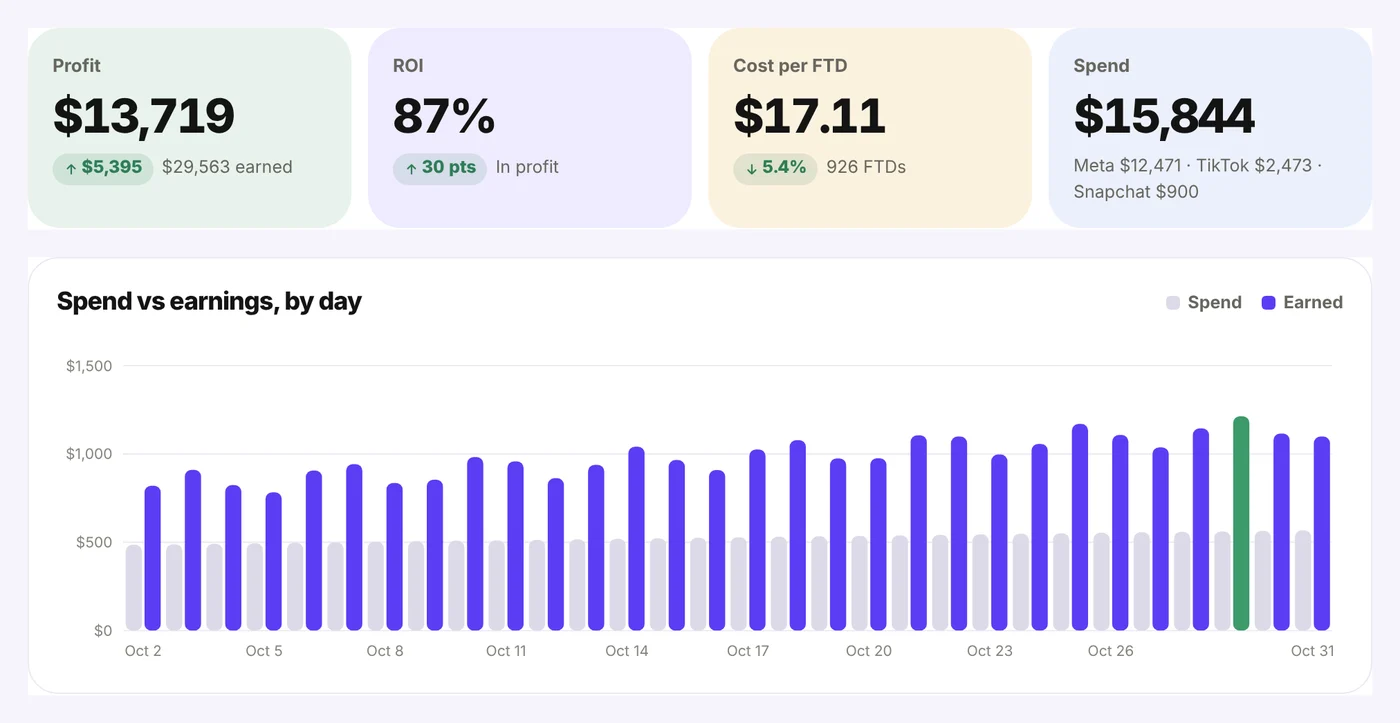
Open Results → Profit. At the top you get four numbers for the dates you pick: profit, ROI, cost per FTD and spend, each compared with the period before. Under them, spend and earnings side by side for every day.
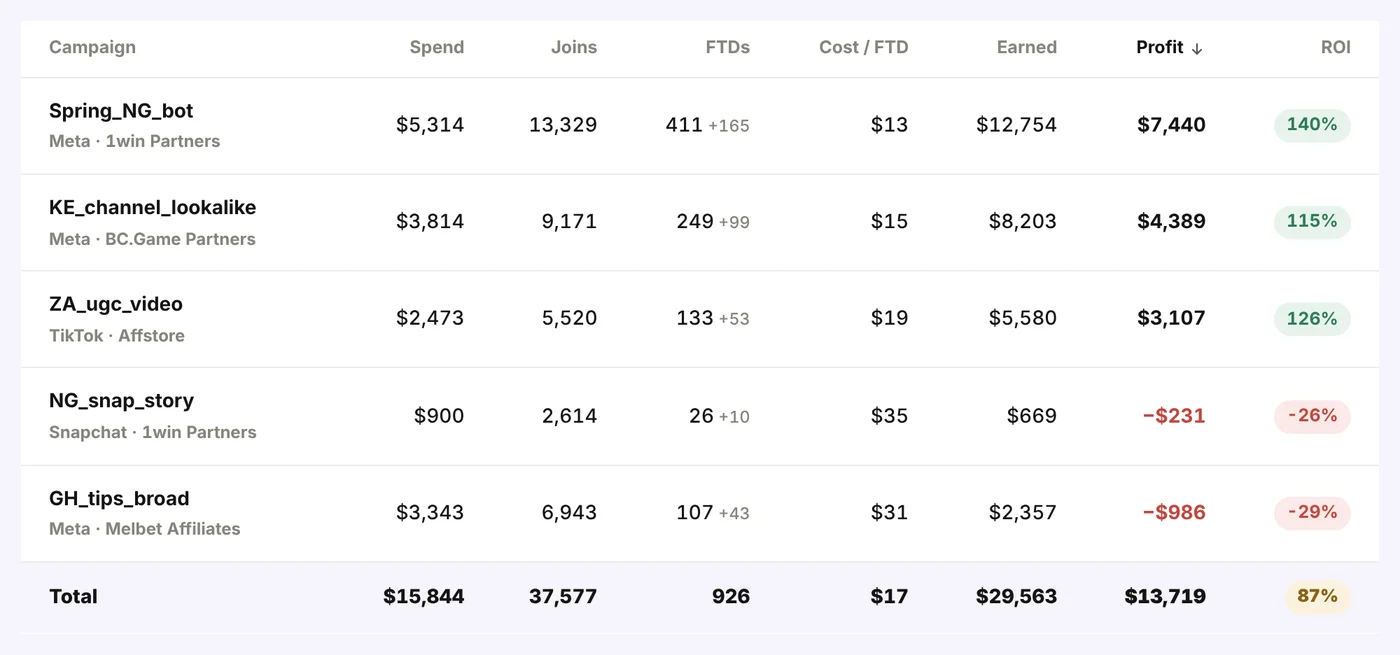
Then the table. One row per campaign, with spend, joins, FTDs, cost per FTD, what you earned, profit and ROI. Tap Ad set or Ad to go one level down. Sort by any column and filter by name.
Two things make these numbers different from the spreadsheet:
- Deposits count for the ad that brought the person. Joinvoo knows which click became which join and which deposit, so an FTD three days after the click still lands on the right ad.
- Spend comes in by itself if you connect Meta, or you type it in or paste a CSV. TikTok and Snapchat sync is built and switches on as soon as those platforms approve Joinvoo.
Payouts: tell Joinvoo what each program really pays you
Revenue is not profit. A $100 deposit can earn you $30, $45 or $12, depending on your deal. So Joinvoo asks once, per program, what you’re paid.
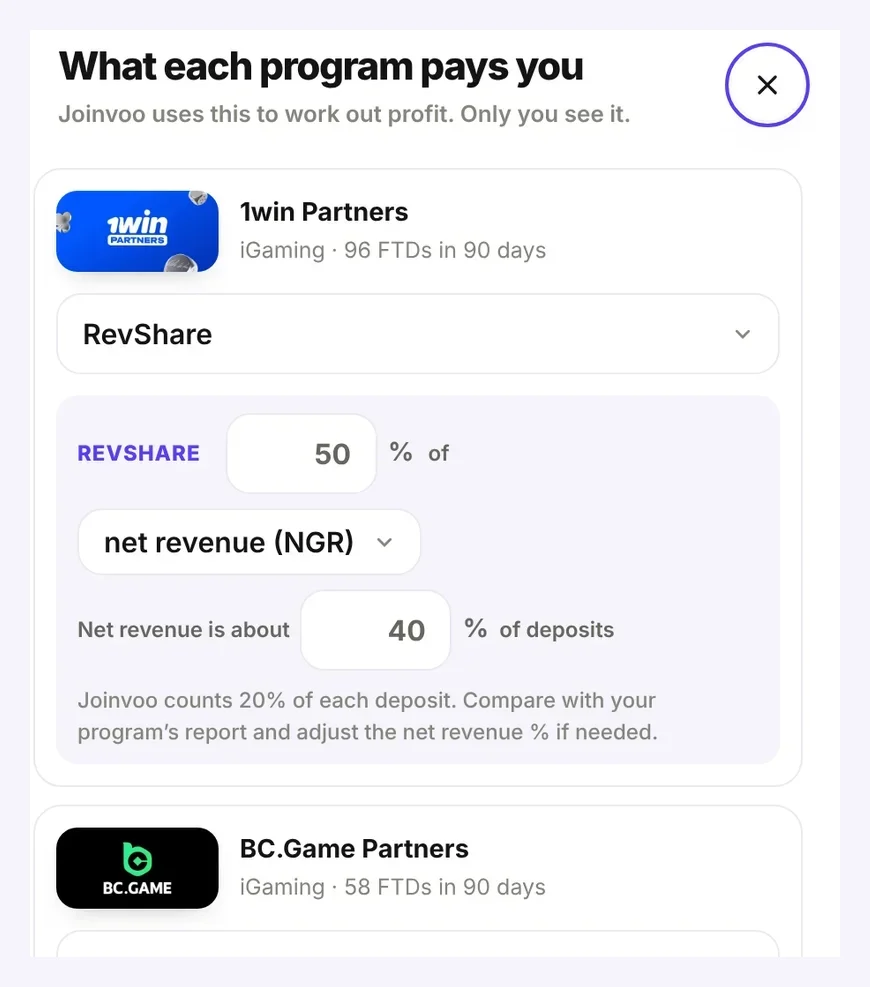
For each program you pick one:
- CPA: a fixed amount for each first deposit. You can add a minimum, like “only if the first deposit is at least $20”, if your deal has a qualifying deposit.
- RevShare: your % of net revenue (NGR) or of deposits. Most programs pay on net revenue. Joinvoo can’t see a player’s net revenue, so it estimates it as a share of deposits (you set the share, 40% to start) and shows exactly what it counts, like ”Joinvoo counts 20% of each deposit”.
- CPA + RevShare (hybrid): both. The CPA on the first deposit, the RevShare on every deposit.
- What the postback sends: if your program can send your real commission in its postback, this is the most exact of all.
Don’t set anything and Joinvoo uses the amount each postback sends, so profit works from day one.
Rules: let Joinvoo watch your ads for you
Ads go bad while you sleep. A creative fatigues at 2am, a link breaks, an ad set starts spending into the wrong audience. By the time you open your dashboard, the day’s budget is gone.
More → Rules lets you write what you’d check yourself, in one sentence, and Joinvoo checks it every 15 minutes:
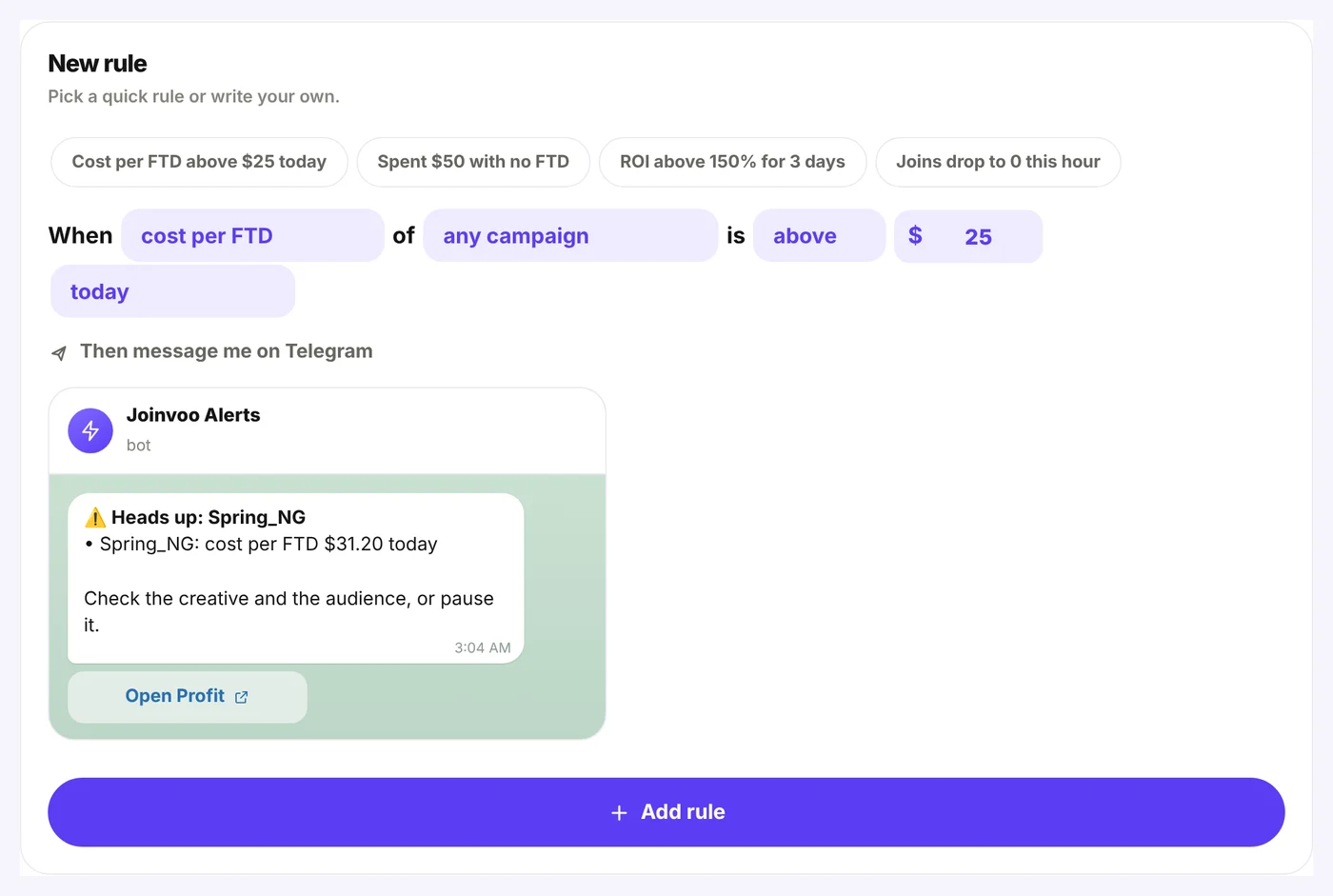
Pick a ready rule or build your own:
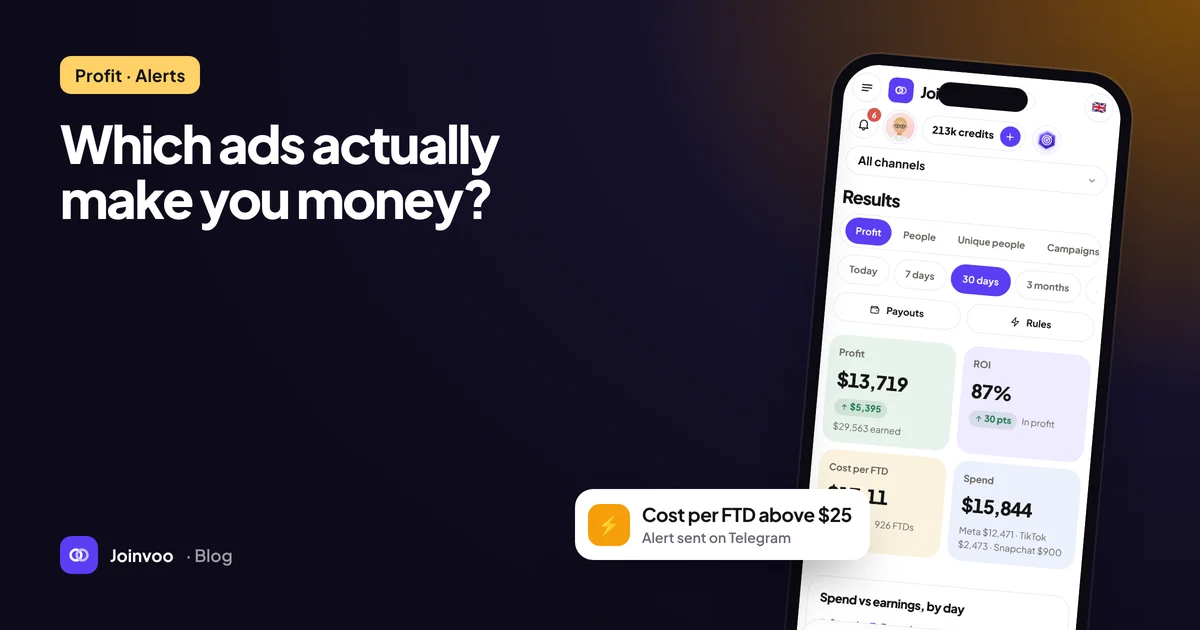
- Cost per FTD above $25 today: catches an ad that starts eating money before the day is over.
- Spent $50 with no FTD: catches an ad set that spends and converts nothing.
- ROI above 150% for 3 days: tells you when a winner is ready for more budget.
- Joins drop to 0 this hour: compared with the same hour on the last 7 days, so a campaign that’s always quiet at 3am doesn’t wake you up.
When a rule matches, you get one Telegram message naming the campaigns, the number and the rule, with a button to open Profit. It also lands in your inbox. Each campaign alerts once per window: once a day for “today”, once an hour for “this hour”. If a new campaign breaks the rule later, you hear about that one too.
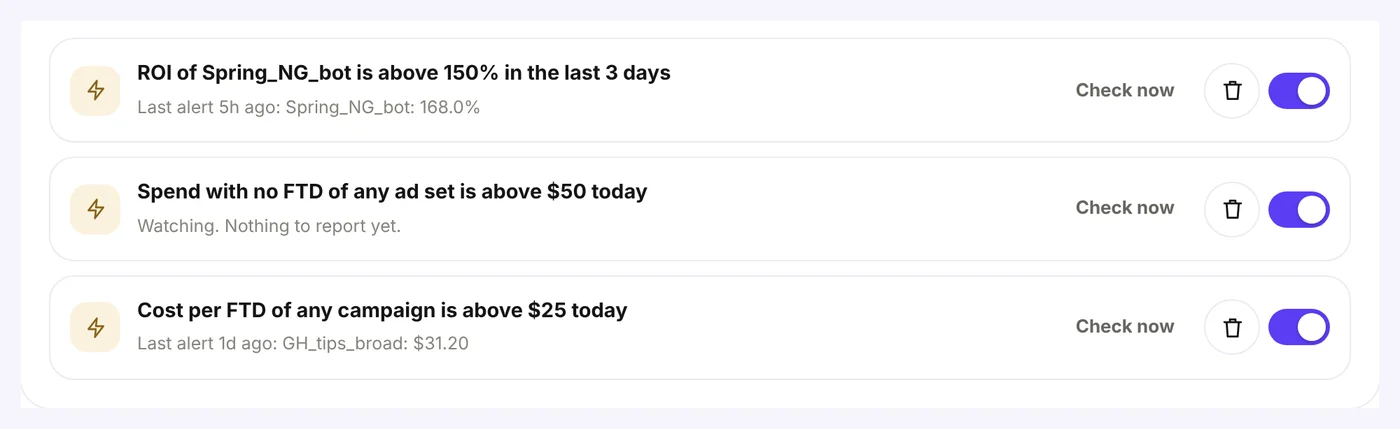
Set it up in 2 minutes
- Add your spend. Connect Meta in the Ad spend card, or tap Add spend and type it in or paste a CSV from your ads manager.
- Set your payouts. Results → Profit → Payouts. One line per program.
- Turn on a rule. More → Rules → tap “Cost per FTD above $25 today” and change the amount to yours. Connect Telegram alerts if you haven’t, so the messages reach your phone.
Who gets it
Profit, Payouts and Rules are part of Pro, and everyone gets all of it during the free trial. On Basic you still see your spend and joins in Profit, and the “spend with no FTD” and joins rules keep running. Profit, ROI, cost per FTD and the deposit rules unlock with Pro.
What it counts, exactly
I’d rather you trust these numbers than be impressed by them:
- Earned is your payout per program (CPA, RevShare or both), or the postback amount if you haven’t set one. Registrations and rejected deposits earn nothing.
- Profit is earned minus spend. ROI is profit divided by spend. Cost per FTD is spend divided by first deposits.
- Deposits count for the ad that brought the person, by the date they clicked, so the table and the chart add up. Rules look at deposits made inside their time window, so “today” means deposits made today.
- RevShare on net revenue is an estimate until your program sends your real commission. Check it against your program’s report once and adjust.
- Ad set and ad spend is split by clicks unless you entered it per ad set. Look for the *.
The point
I call this traffic banking: every lead you buy is capital, and you should know what each one returns. Joins tell you how many people you bought. Deposits tell you how many paid. Profit tells you which ads to put more money into tomorrow and which ones to switch off tonight.
Open Results → Profit and look at your last 30 days. Set your payouts. Then turn on one rule and let Joinvoo watch your ads while you sleep.