“I can see joins, but I can’t see deposits per ad.” It’s the most common question we get from Telegram media buyers, and the answer sounds complicated until you see it. It’s one number, passed out and passed back.
This post explains it simply, with real Joinvoo screens, so you know exactly why it works and what to check when it doesn’t. Prefer video? Watch the 90-second explainer or the 90-second setup guide. If you’d rather just set it up, open Results → Deposits in your dashboard, tap your affiliate program and follow the 3 steps. This post is the “why”.
The whole idea in one sentence
Give each person their own number on the way out, get the same number back with the deposit, and match them up.
That’s all deposit tracking is. Every tracker, every affiliate network and every “postback” setup is a version of this. The only question is which number, and how it gets into the link.
Step 1: someone taps your ad
When someone taps your ad, they go through your Joinvoo link first. Joinvoo records the click with everything the ad platform sends along: the campaign, the ad set, the ad, and the click ID Meta, TikTok or Snapchat needs later.
At this point Joinvoo knows an ad was tapped, but not yet who tapped it. Telegram doesn’t tell anyone who you are just because you opened a link.
Step 2: they join your channel, and Telegram gives us their ID
When they request to join (or start your bot), Telegram tells Joinvoo exactly who it is, including their Telegram ID. That’s a number like 6510981724, unique to that one person and the same everywhere in Telegram.
Joinvoo ties that join to the click from step 1. Now we know: this person came from this ad.
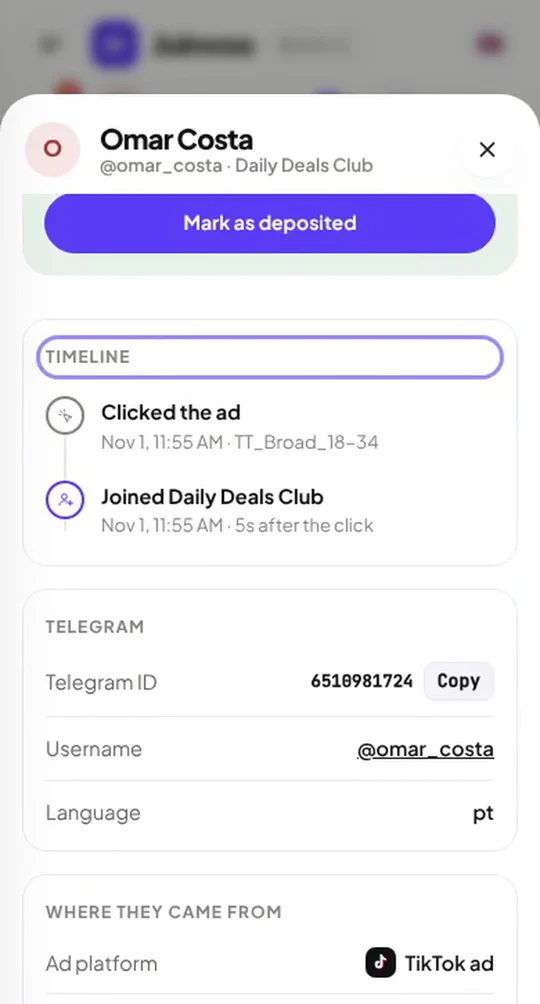
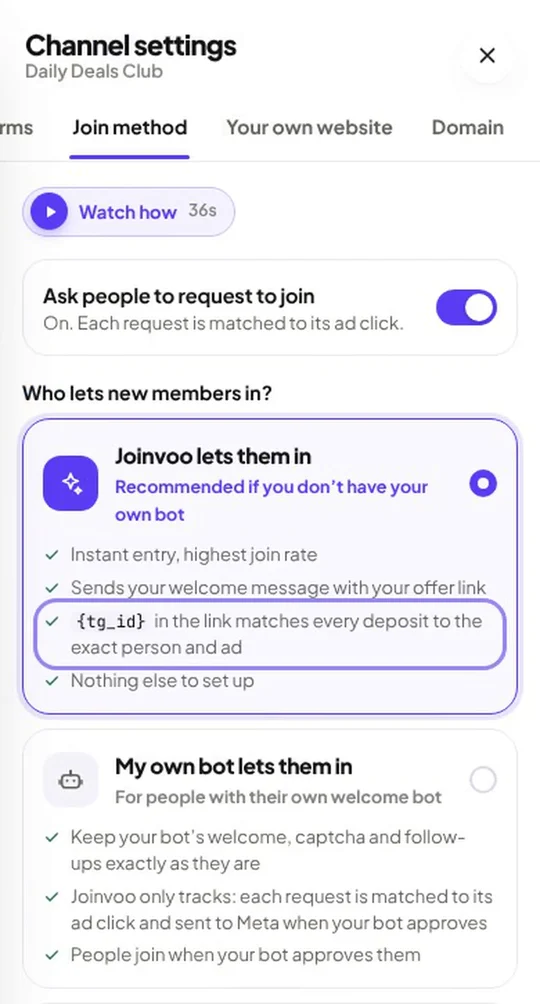
This is why request-to-join (or a bot) matters for tracking. With an open public link, Telegram never tells you who joined, so there’s no ID to work with.
Track this in Joinvoo, free.Every join, start and deposit matched to the ad that drove it. First 500 joins on us.Start freeStep 3: their offer link carries their ID
Here’s the trick. When Joinvoo sends your welcome message, it doesn’t give everyone the same offer link. It puts each person’s Telegram ID inside their link.
Your normal link looks like this:
https://affstore.example/lp?aff=52011&afftrack=promoThe link Joinvoo sends each person looks like this:
https://affstore.example/lp?aff=52011&afftrack=promo_6510981724Same offer, same affiliate account. The only difference is the person’s number on the end. In your offer link settings it’s written as {tg_id}, and Joinvoo swaps in the real number for each person.
Step 4: your affiliate program remembers the number
The person taps the link, signs up and deposits. Your affiliate program (Affstore in this example) saves the value of afftrack with that player. That’s normal. It’s the same field you’d use to tag a traffic source.
Step 5: the postback brings the number back
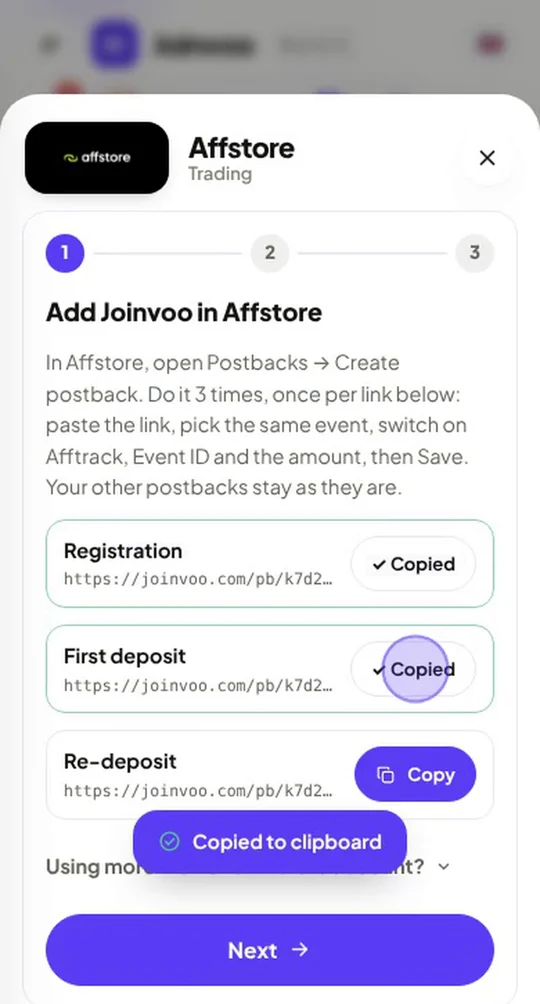
When the player signs up or deposits, your affiliate program sends a postback: a small web request to your Joinvoo postback link, carrying the event (sign-up, first deposit, re-deposit), the amount, an event ID, and the afftrack value. That’s the person’s number.
That’s what step 1 of the setup is: three postback links (registration, first deposit, re-deposit) you paste into Affstore once, with Afftrack, Event ID and the amount switched on.
Step 6: Joinvoo matches it, and tells your ad platform
Joinvoo reads the number, finds the person with that Telegram ID, and from them the ad they came from. Match. The deposit is now tied to a real person, a channel, a campaign and an ad.
Then Joinvoo sends that deposit to Meta, TikTok or Snapchat as a purchase, with its value, through their Conversions APIs. Your ad platform now knows which ad brought a depositor, so it can find more people like them.
The one thing that breaks it: a link without the ID
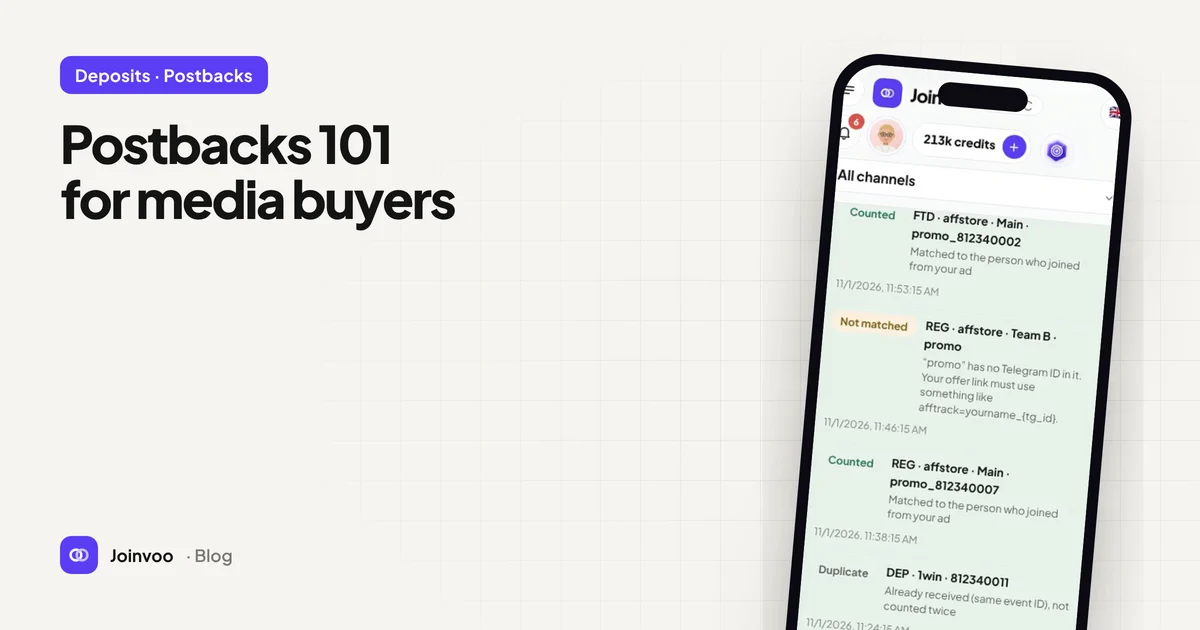
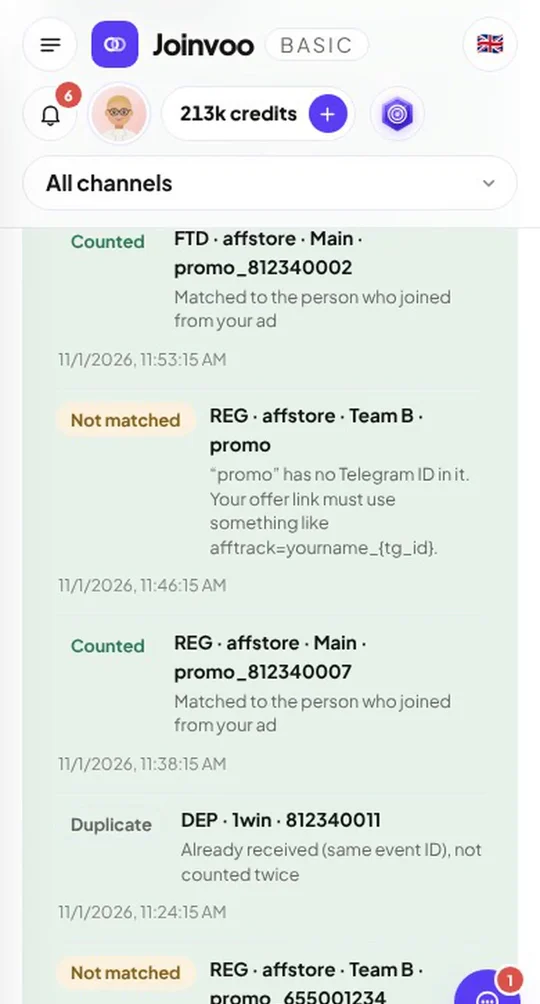
Look at the second row in the screenshot above: Not matched, ”promo” has no Telegram ID in it.
That’s what happens when everyone gets the same plain link. Affstore still sees the sign-up and still sends the postback, but the only thing it can send back is promo, the same for everybody. There’s no number, so nobody can tell who it was. Joinvoo still counts it, but marks it Not tracked, so you know it reached your account and know it couldn’t be tied to an ad.
The usual causes:
| What you see | Why | Fix |
|---|---|---|
| Postbacks arrive, but all say no Telegram ID | The offer link people got has no _{tg_id} on the end | Setup step 2 → Make it trackable |
| Your own welcome bot sends the link | The bot sends one fixed link to everyone | Send your developer the one-line message from step 2, then use Check my bot |
| A link posted in your channel or a live | A post looks the same for everyone, so it can’t carry a personal ID | Use the link for posts and lives in your channel settings. Each person who taps it gets their own link |
| No one with Telegram ID … joined through your Joinvoo links | The person found the offer another way (old link, another channel, direct) | Nothing to fix. It’s real, just not from a tracked ad |
| Nothing arrives at all | The postback isn’t added in your affiliate program yet | Setup step 1: add the three links |
Why Joinvoo uses the Telegram ID (not a click ID)
Some trackers pass a click ID through the whole journey. That works on a website, where the same browser goes from ad to landing page to sign-up. In a Telegram funnel there’s a gap. The person leaves the browser, joins in the Telegram app, and taps the offer days later, often on another device. A browser click ID gets lost in that gap.
The Telegram ID doesn’t. It stays with the person inside Telegram, it’s attached to every join and every message, and Joinvoo already knows which ad that person came from. So it’s the one number that reliably connects the ad, the person and the deposit.
Check your setup in two minutes
- Open Results → Deposits and tap your affiliate program.
- Make sure step 1 shows your three postback links added in your program, with Afftrack, Event ID and the amount on.
- In step 2, check who sends your offer link. If it’s Joinvoo, the link should show Trackable. If it’s your own bot, use Check my bot. It should say Working.
- In step 3, do a real test. On a second phone, tap your ad link, join, open the offer and sign up. Keep the screen open and Joinvoo shows the result by itself.
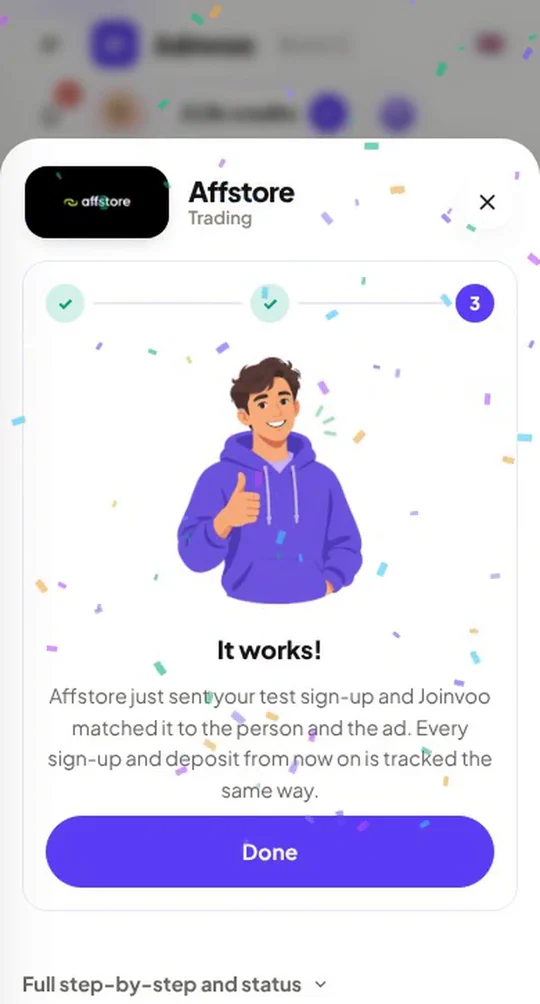
When it says It works!, every sign-up and deposit from then on is matched to the right person and the right ad. Your program card also shows a health check (Tracking healthy), and Joinvoo tells you straight away if postbacks stop arriving or start coming back without IDs.
The short version
Your ad, the person, the deposit. One number connects them all. Joinvoo gets the number from Telegram, puts it in the link, gets it back in the postback, and does the matching for you. Your only job is making sure the link carries the number, and the setup checks that for you.
New to postbacks in general? Start with Postbacks 101 for media buyers.