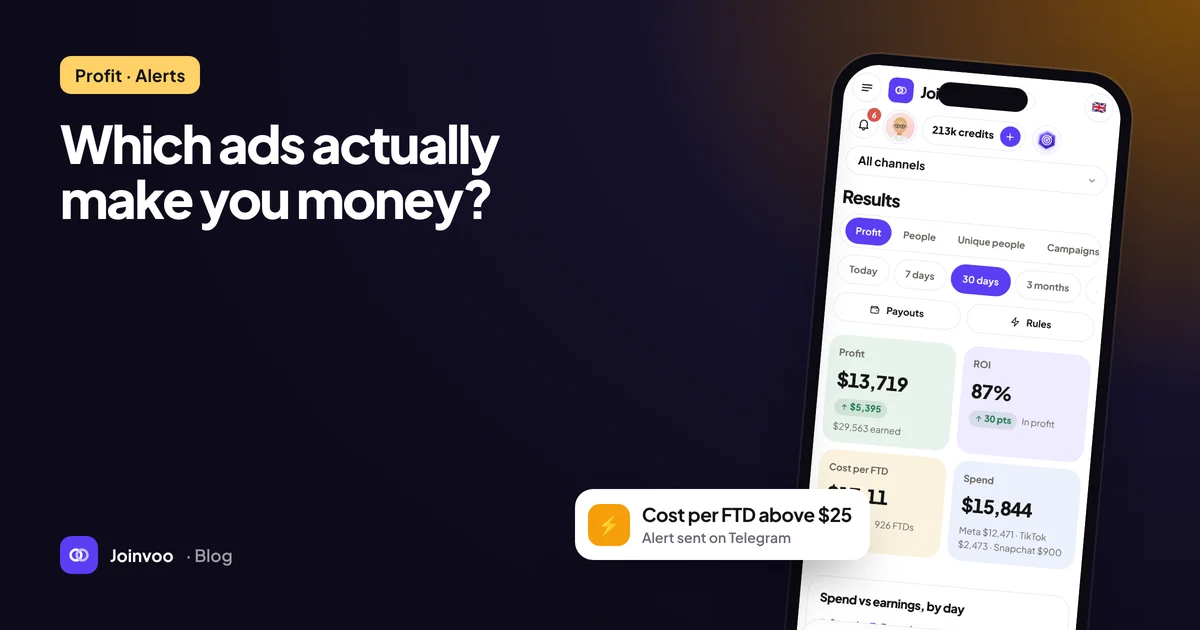
Most media buyers live in two places: Ads Manager and their tracker. But the people who scale usually have a third: their own sheet, dashboard or bot, where every account, every buyer and every client sits side by side. Until now, getting Joinvoo numbers in there meant downloading CSVs. Now there’s an API.
What you can do with it
Build one dashboard for everything. Pull Joinvoo’s numbers next to your other tools: first deposits, cost per first deposit and ROAS per campaign, every morning, without opening five tabs.
Send client reports automatically. Agencies can pull each client’s channel into their own report template. With a key limited to that client’s channels, there’s no risk of showing one client another client’s numbers.
Feed your CRM or your own bot. Every new depositor, with the campaign and ad they came from, straight into your CRM, so your retention team knows who to call first.
Record deposits from your own system. If your affiliate program can’t send a postback, but your own server or CRM knows when someone deposits, send it to Joinvoo with their Telegram ID. Joinvoo matches it to the person and the ad, and sends it to Meta, TikTok and Snapchat like any postback.
What it gives you
| Endpoint | What you get |
|---|---|
/stats | Clicks, joins, sign-ups, first and repeat deposits, revenue and spend: totals, each day and each channel |
/breakdown | The same split by campaign, ad set, ad, source, platform, country, language or channel, with spend, cost per join, cost per first deposit and ROAS |
/profit | Spend, earnings, profit and ROI per campaign, ad set or ad (the same numbers as your Profit page) |
/joins | The people who joined, with the ad they came from and their deposits |
/conversions | Sign-ups and deposits with the ad each came from. Ask for “everything since the last one” to catch new deposits as they arrive |
POST /conversions | Record a sign-up or deposit. Send your payment ID and a retry is never counted twice |
Money comes in cents, dates follow your time zone, and every answer is plain JSON. The full guide, with examples in curl, JavaScript and Python, is on the developer page.
Getting a key
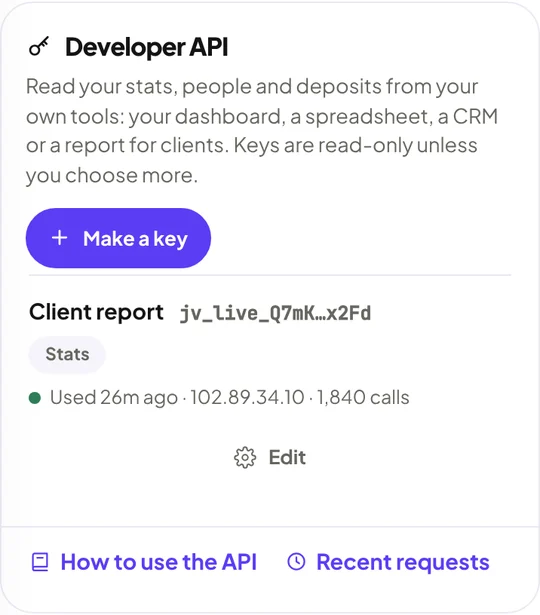
Open Conversions → Integrations and scroll to Developer API. Tap Make a key.
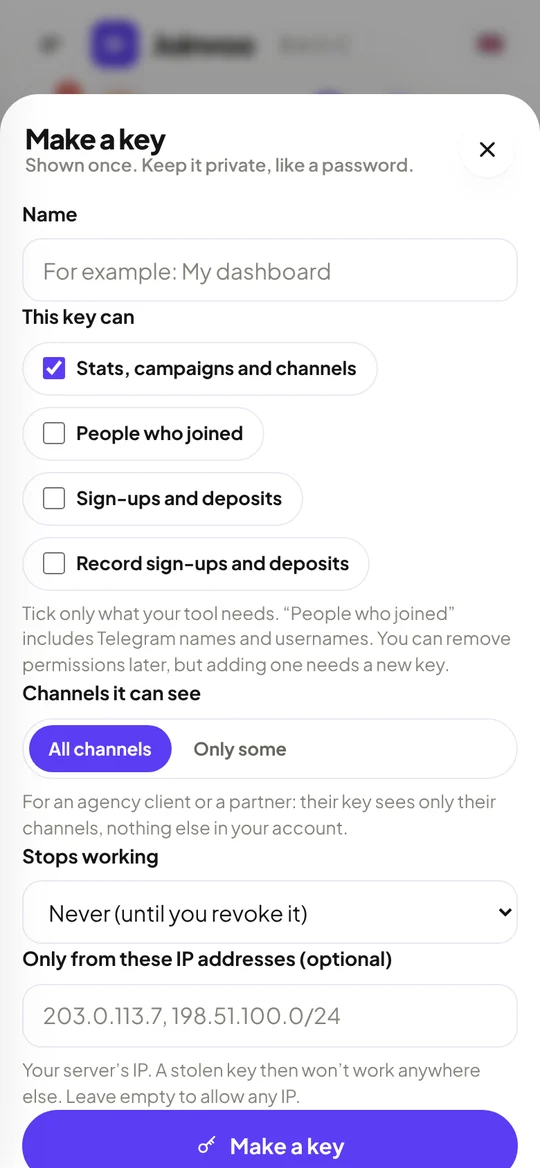
Give it a name and tick only what your tool needs. A new key reads stats only. You can also pick which channels it sees, when it stops working, and the IP addresses it may be used from.
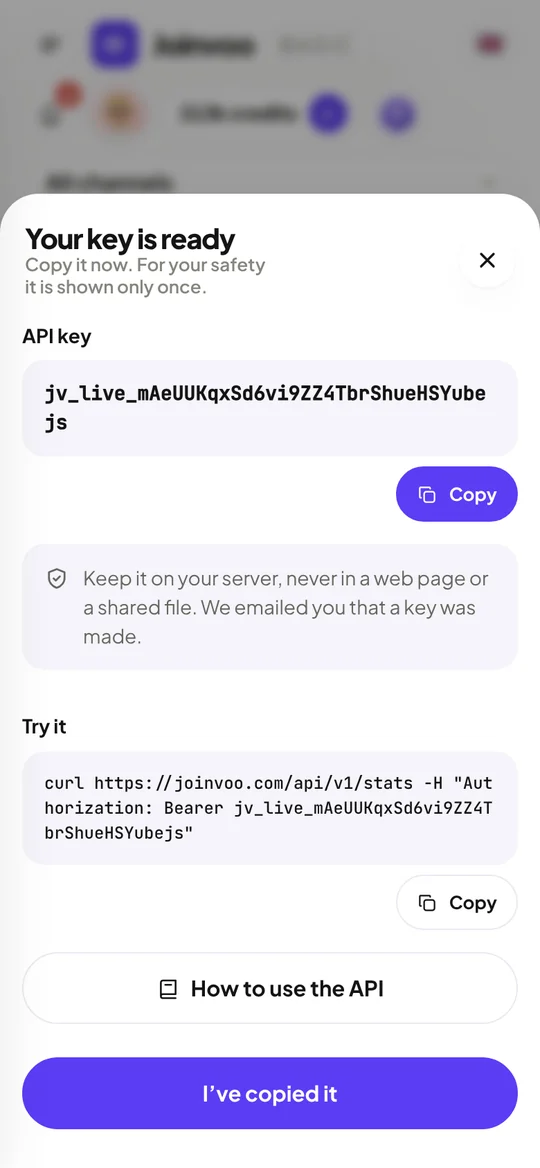
Copy the key straight away. It’s shown once: Joinvoo keeps only a scrambled copy, so not even we can show it again. The sheet also gives you a ready-made line to test it.
Built so it can’t be abused
An API is a door into your account, so this one has several locks.
- Read-only by default. Reading people (with names) and recording deposits are separate permissions you tick on purpose. You can take a permission away later, but never add one. More power needs a new key.
- Shown once, stored scrambled. A copied database or backup can’t call the API.
- Header only. A key in a web address is refused, because addresses end up in logs. Other websites can’t call the API from a browser either.
- Locked to your server. Set your server’s IP and a stolen key works nowhere else.
- Locked to channels. Give a client or freelancer a key that sees only their channels.
- Limits. 120 requests a minute and 20,000 a day per key, and a network that keeps guessing keys is blocked for 15 minutes.
- You’re told. You get an email every time a key is made, each key shows when and from where it was last used, and the last 50 requests are listed. Revoke a key and it stops at once.
No developer? Two shortcuts
Google Sheets. Paste our script into a sheet (Extensions → Apps Script), add your key from the new Joinvoo menu, and choose Refresh every hour. You get a daily sheet, a campaigns sheet with spend, cost per first deposit and ROAS, and a totals sheet, always up to date. Share it with your team or a client like any sheet; the key stays in your Google account, never in a cell. Steps are on the developer page.
Zapier and Make. Triggers for New Join and New Deposit or Sign-up (each with its ad), and an action to Record a Deposit. Send every first deposit to Slack, a CRM or a sheet in a few clicks.
For agencies: one account, every client
Running several clients from one Joinvoo account now works the way agencies expect:
- Client logins. In Team, invite a client with the Client role and tick their channels. They log in to a view-only dashboard: their joins, campaigns and deposits, nothing else. They can’t change links or settings, and can’t see your other clients, billing or keys. You can hide earnings from them too. Client logins are free and don’t use a team seat (Pro).
- Client keys. Make a key for their channels only, for their own dashboard or report.
- Media buyers and managers keep their own roles, as before.
API or webhooks?
Both, for different jobs. The API is for reading when you want: reports, dashboards, “what happened yesterday”. Webhooks push each join and deposit to your server the moment it happens. Many teams use webhooks for live actions and the API for reports.
The short version
Your Joinvoo numbers, wherever you work: your own dashboard, a self-updating Google Sheet, Zapier, or a report for each client. Read-only by default, locked to your server and your channels if you want, and you can switch any key off in one tap.
Make your first key in Conversions → Integrations → Developer API, or read the developer guide. New to tracking deposits? Start with Why Telegram deposit tracking works (and the one thing that breaks it).