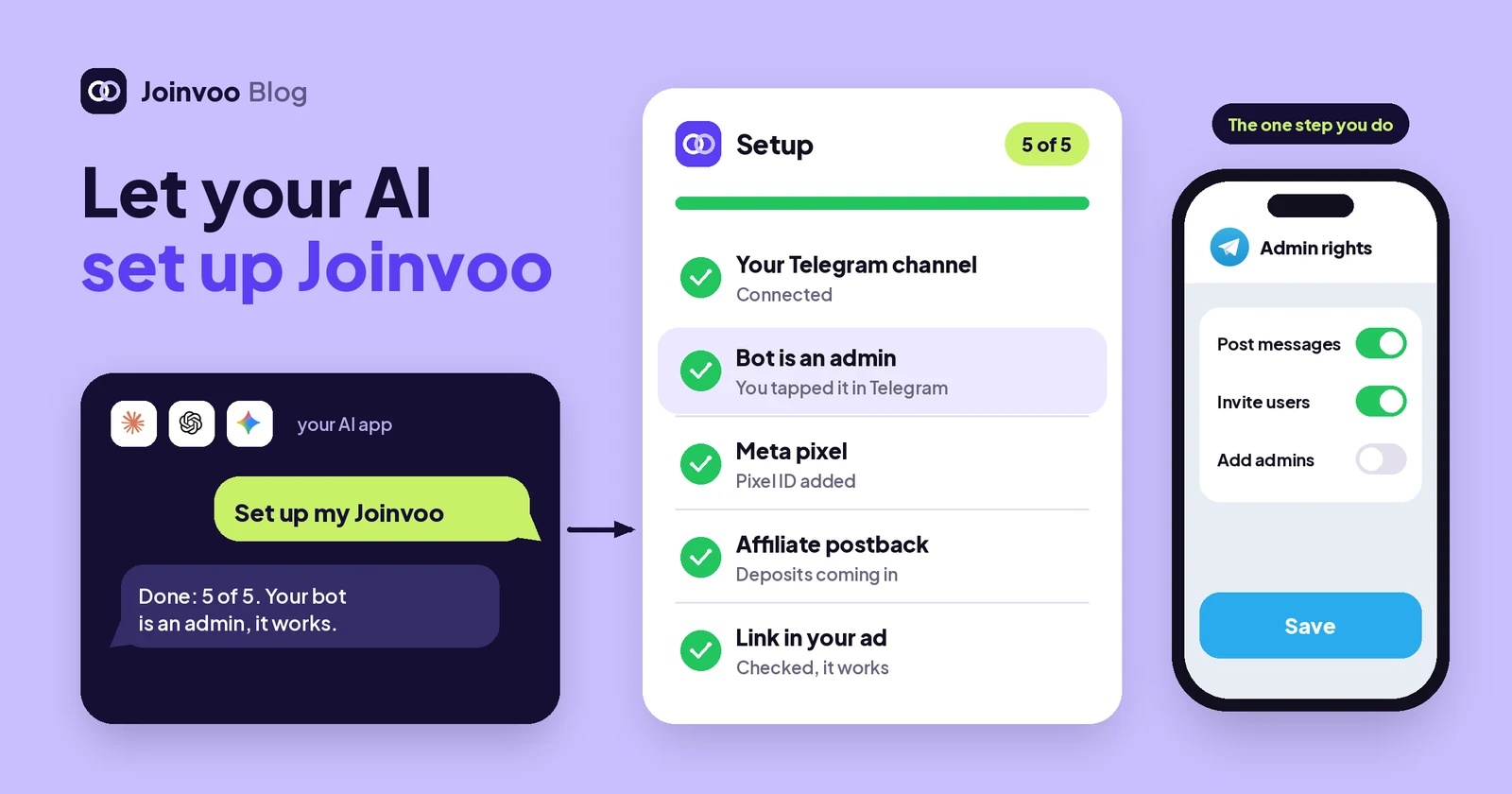
Setting up tracking is not hard, but it has a lot of small steps in different places. A bot here, an admin switch in Telegram, a pixel ID from Ads Manager, a postback in your affiliate program, a link in your ad. Most people get stuck on one of them, close the tab, and come back days later.
Now your AI can walk you through all of it, and do most of it for you.
How to start
- Open More → AI apps in Joinvoo and connect your AI (Claude, ChatGPT, Gemini, Perplexity, Grok, Le Chat, Copilot Studio, Cursor or another app that works with MCP).
- On the Joinvoo screen, tick Make changes when you ask and tap Allow. Without it, your AI can only read.
- In your AI, paste: Set up my Joinvoo. Ask me one question at a time.
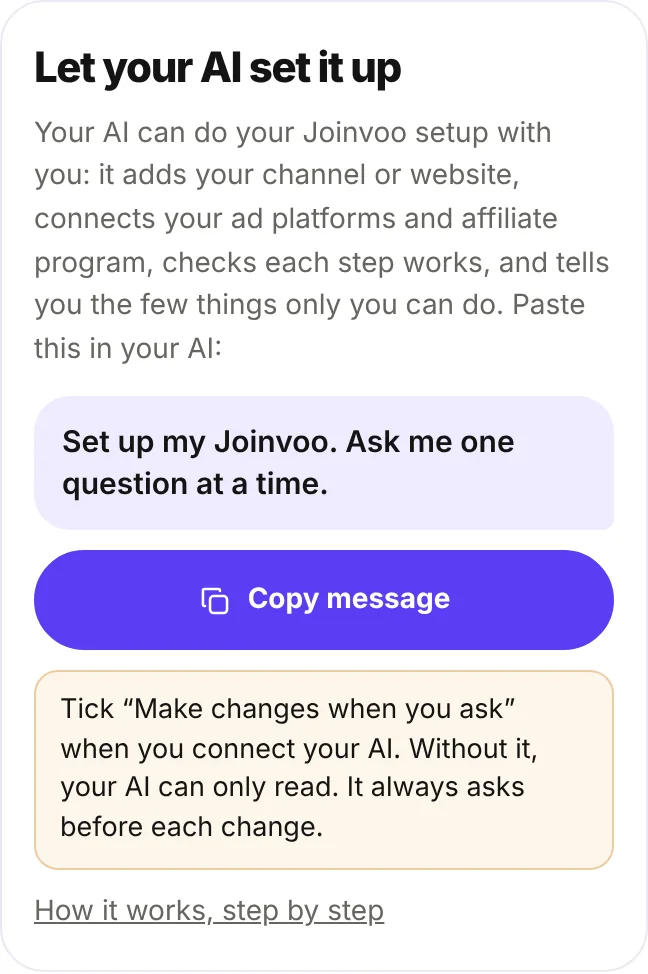
That’s it. Your AI reads your setup plan first, so it knows what is already done and what is left, and it starts with the next step.
What it does, step by step
Your plan depends on what you promote. If you run affiliate offers, it’s your Telegram channel or bot, your ad platform and your affiliate program’s postback. If you sell online, it’s your website, the Joinvoo line on your pages and purchase tracking. If you grow a community, it’s your channel and your ads. Agencies also get team invites.
For each step, your AI:
- asks only what it needs, one question at a time (“What’s your channel’s @username?”),
- says exactly what it will change and waits for your yes,
- makes the change in Joinvoo, the same way the dashboard does,
- checks it worked before moving on.
A real setup sounds like this:
You: Set up my Joinvoo. Ask me one question at a time.
AI: You promote affiliate offers, and you have no channel yet. Do you already have a tracking bot from @BotFather?
You: Yes, here’s the token.
AI: I’ll connect that bot to Joinvoo. OK?
You: Yes.
AI: Done: your bot is connected. Now open your channel in Telegram, tap its name → Administrators → Add Admin, pick your bot and switch on “Invite users via link”. Tell me when.
You: Done.
AI: Checked: the bot is an admin with invite rights, and your channel is tracking. Next: which ad platform do you use?
It works the same for Meta, TikTok, Snapchat, Pinterest, Reddit and Google Ads. It saves your pixel or dataset ID and sends Joinvoo’s test event, so you know your ads get every join before you spend a cent. For your affiliate program (1win, Melbet, Affstore, VooSquare or any program that sends postbacks), it gives you the ready postback URL, tells you where to paste it in that program, and checks the first postback arrives. For a store, it gives you the lines for your own site, the steps for Shopify or WooCommerce, or the thank-you link for Selar, Gumroad or Payhip, and sends a test purchase.
Then it can make your ad links with the right campaign and ad tags, add a rule like “message me if the cost per deposit of any campaign is above $30 today”, set up Guardvoo, invite a teammate with only the channels you pick, and put a landing page in front of a link.
Start from any screen
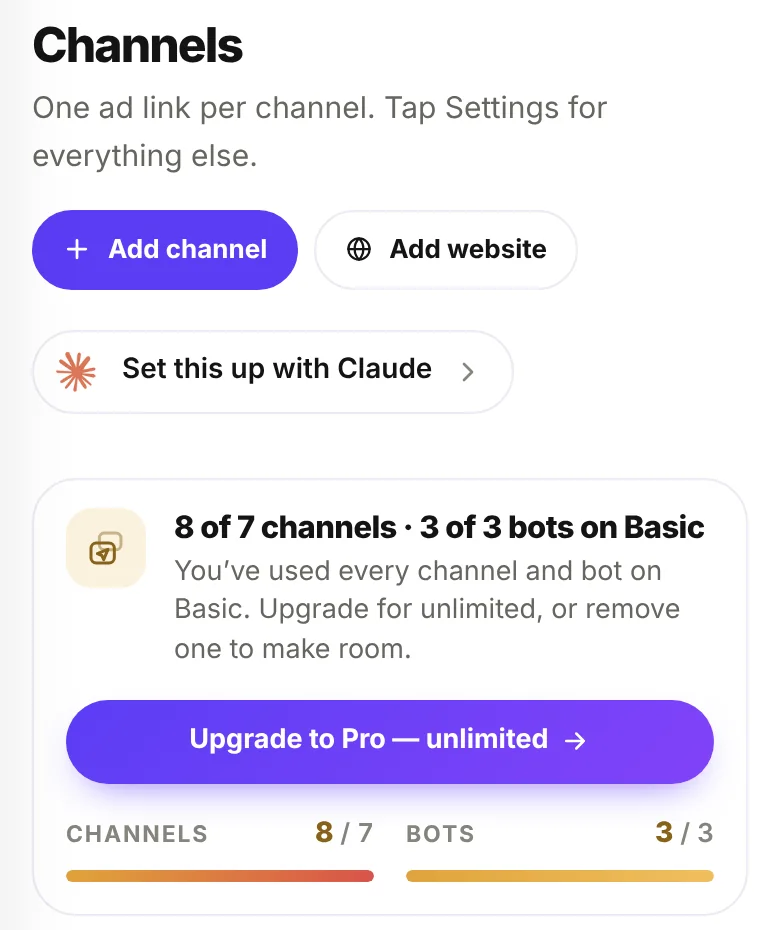
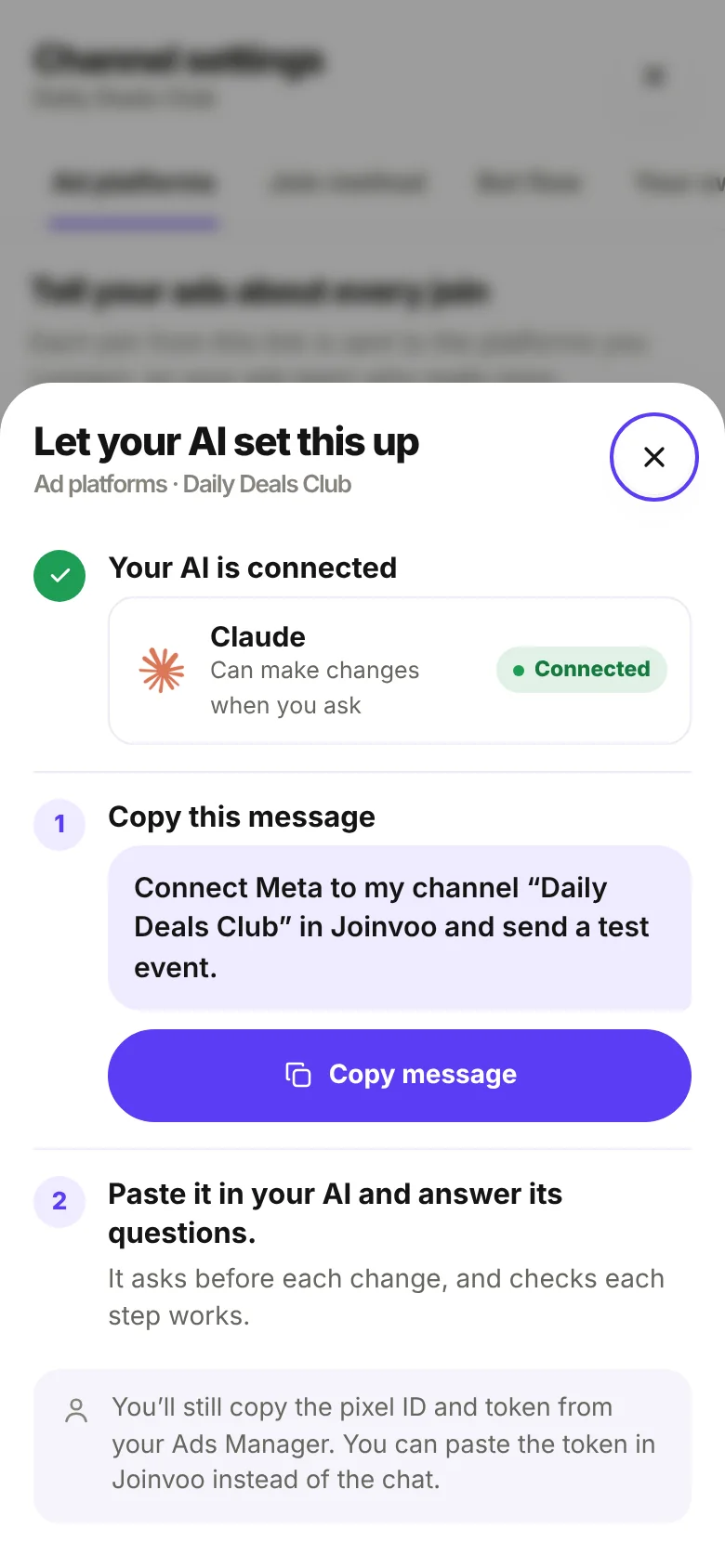
You don’t have to start from the top. On every setup screen in Joinvoo, look for Set this up with Claude (or with your AI’s name). Tap it and you get a ready message for that exact screen, filled in with what Joinvoo already knows, like “Connect Meta to my channel “Daily Deals Club” in Joinvoo and send a test event.”
The sheet also tells you if your AI is connected, whether it can make changes, and the one thing you will still do yourself on that screen.
What only you can do
Some steps can’t be done from a chat, because they happen in your own accounts:
- making your bot an admin in Telegram, or adding it in Telegram Business on a manager’s phone,
- copying a pixel ID and token from your Ads Manager,
- pasting a postback URL in your affiliate program, or a line of code on your website,
- signing in to Google for Google Ads, and switching Guardvoo on.
Your AI tells you exactly what to tap, waits for you, and then checks it worked. If a check fails, it tells you what to fix.
You stay in control
- It asks first. Every change is described before it’s made, and nothing happens until you say yes.
- Read-only unless you allow it. Without “Make changes when you ask”, your AI can only read.
- Only what you can do. Your AI has your role’s permissions: a media buyer can connect ad platforms on their own channels, but can’t add channels or invite people. Chat agents and clients can’t make setup changes.
- No risky changes. It can’t delete channels, remove teammates, change your plan or billing, or make API keys.
- Tokens are your call. Anything you type in an AI chat, like an access token, is seen by your AI provider. If you prefer, paste the token in Joinvoo instead: your AI gives you the link.
- Every change is listed in More → AI apps, and you can disconnect your AI there at any time.
Ready? Open More → AI apps, connect your AI with “Make changes when you ask” ticked, and say: Set up my Joinvoo.