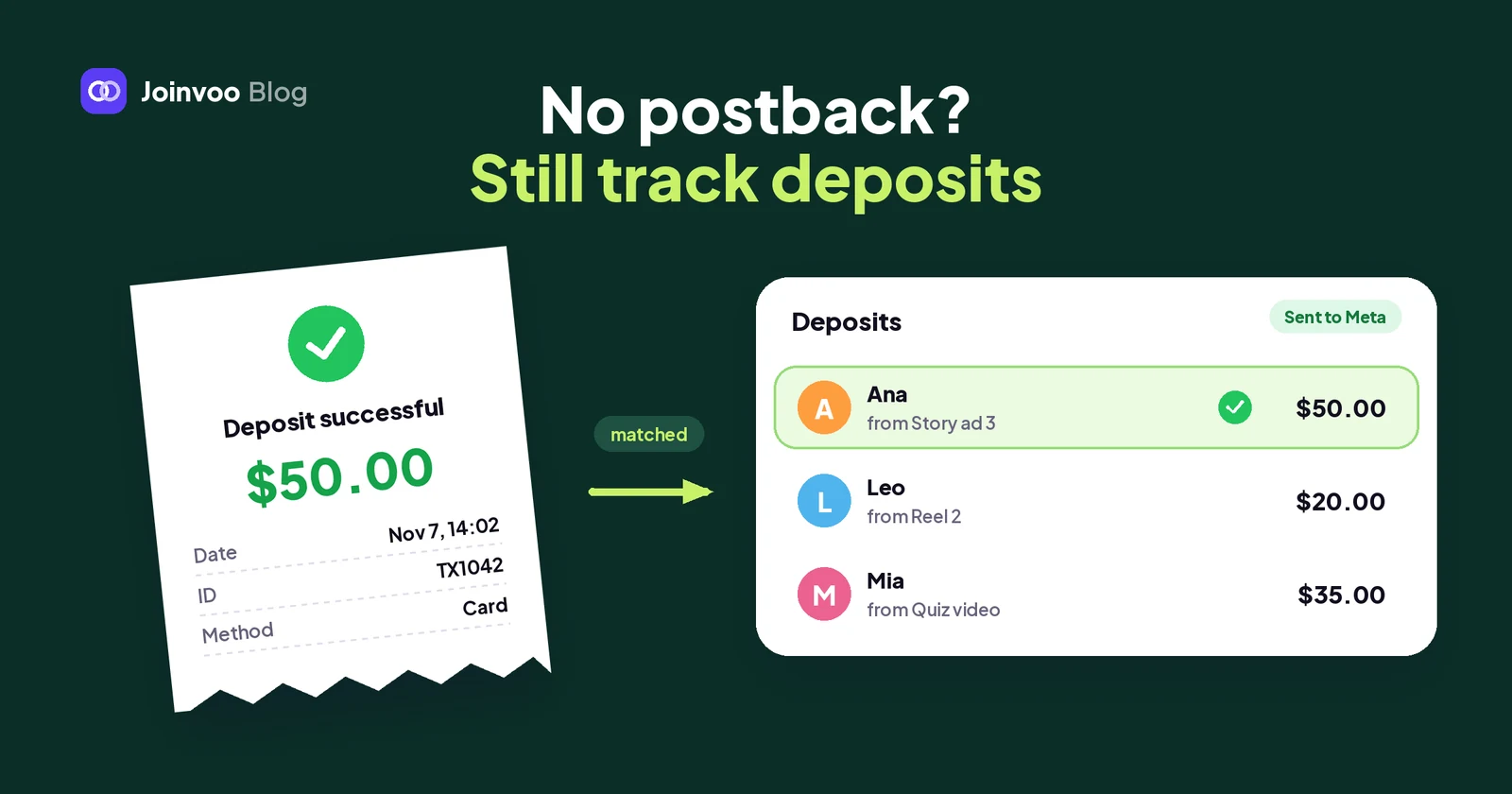
Plenty of programs and companies simply don’t send postbacks. Some only give you a dashboard login, some send a spreadsheet once a week, and some deals run through a manager who just tells you “Ana deposited.”
Without a postback, your ad platforms never hear about those deposits. Meta keeps optimising for joins and your cost per FTD is a guess.
But your leads often show you the deposit themselves, and your program usually has an export. Joinvoo can now use both.
1. Deposit screenshots in Team inbox
If your team talks to leads in Team inbox, through a Telegram Business account or your own bot, you know this one: the lead deposits, then sends a picture of the receipt.
Now Joinvoo reads that picture for you. When it looks like a payment, a card appears right under it in the chat:
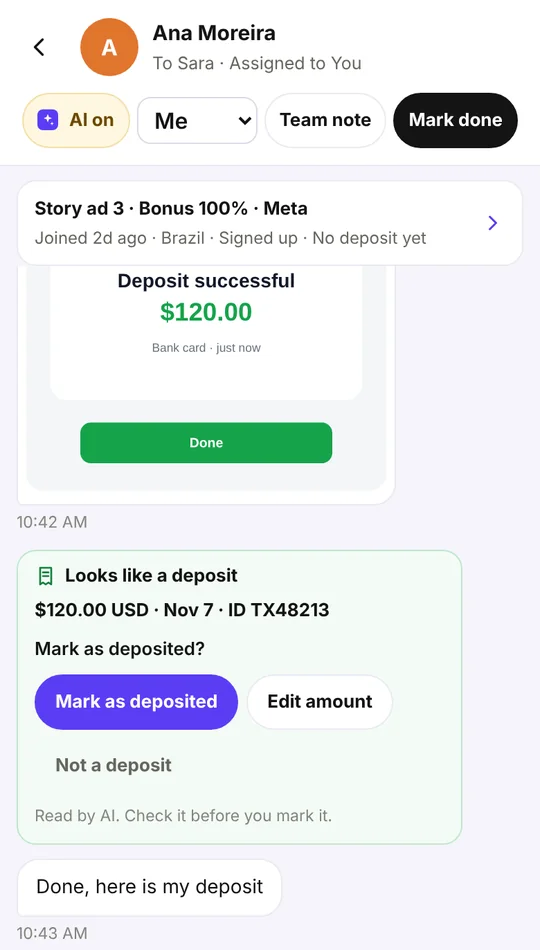
The card shows what it found: the amount, the currency, the date and the transaction ID when the receipt has one. Then you pick:
- Mark as deposited records it.
- Edit amount lets you fix the amount or currency first, if the picture was hard to read.
- Not a deposit closes the card. Nothing is recorded.
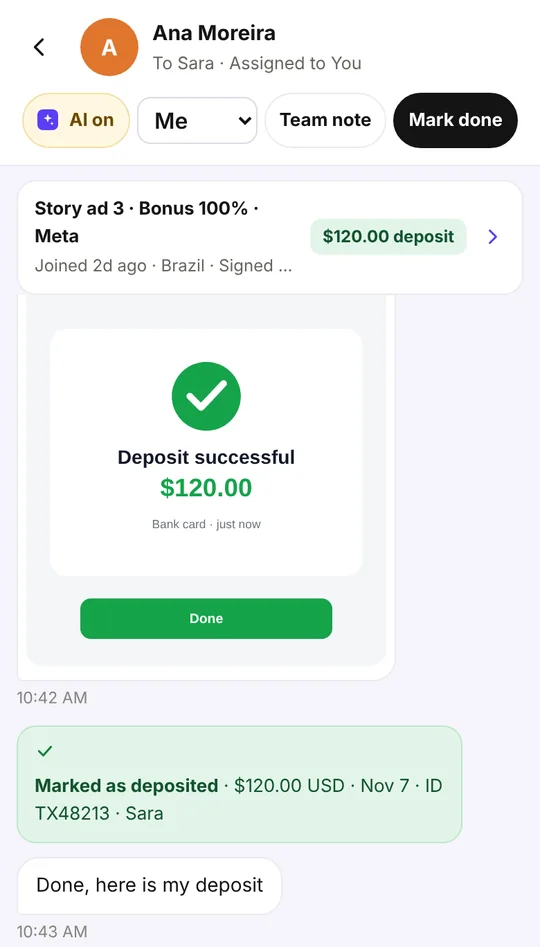
Once you mark it, the card turns green and shows who marked it. The deposit counts in your results, and if the person came through one of your tracked links, it’s matched to their ad, campaign and channel and sent to your connected ad platforms (Meta, TikTok, Snapchat, Google) and to your tracker if you’ve set one up, the same way a postback deposit is.
Why a person still taps
A screenshot can be old, someone else’s, or edited. So Joinvoo never records a deposit from a picture by itself: the AI reads it, your teammate checks it and decides.
Joinvoo also helps you spot the obvious tricks:
- If the same picture was sent before by someone else, the card warns you: “Check this one: the same picture was sent before by someone else.”
- If the transaction ID is already recorded, it won’t be added twice.
- A picture is only read once. If the same picture comes in again, Joinvoo uses what it already found.
What it costs, and who can mark
Reading pictures is free, up to 50 automatic reads a day per account. After that, pictures get a Read it button, so your team can still read the ones that matter.
It’s on by default. The account owner can switch it off in Team inbox → Settings → Read deposit screenshots. Only pictures your leads send are read, never the ones your team sends.
The owner, managers, Setup helpers and media buyers (for their own channels) can mark a deposit. Chat agents see the card too, so they know a deposit came in, but the card tells them “A manager or the account owner can mark it.”
2. Upload the deposits your program gives you
Most programs without a postback still have a list: a CSV export, an Excel report, or a table you can copy from their dashboard. Open Deposits (in some accounts it’s called Conversions) and tap Upload deposits.
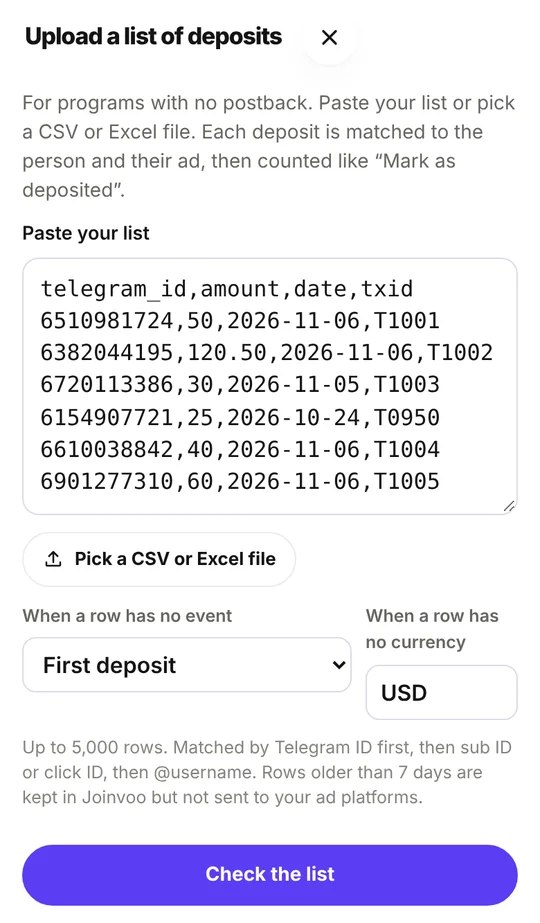
Paste the list or pick the file. Joinvoo works out what each column is from its name or what’s in it: Telegram ID, @username, sub ID, click ID or visitor code, amount, currency, date, event and transaction ID. If it guessed one wrong, change it and check again.
Each row is matched to a person in this order:
- Telegram ID, the most reliable.
- Sub ID, click ID or visitor code, the value you passed in the offer link.
- @username, in any case, with or without the @.
Phone numbers and emails are shown as “not used”. Joinvoo doesn’t keep those, so they can’t match anyone.
Before anything is added, you see a preview with four tabs:
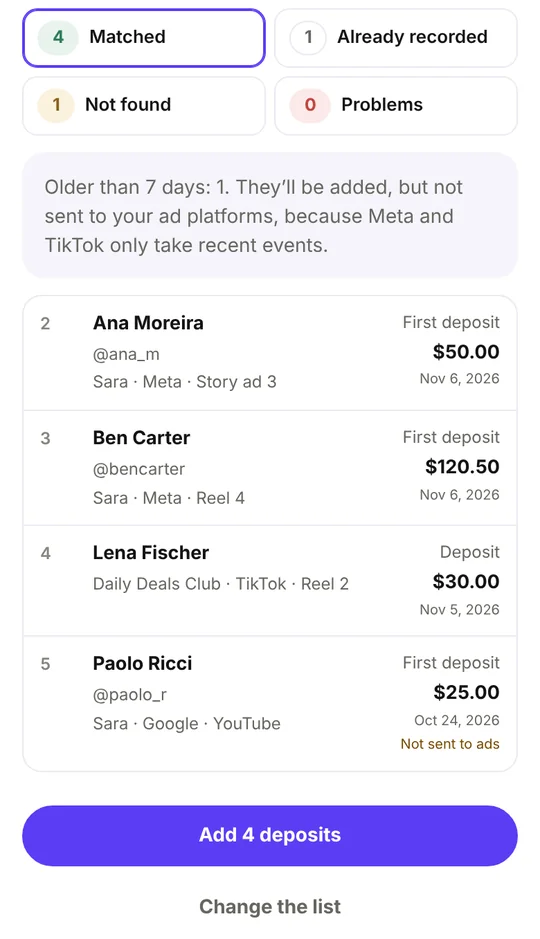
- Matched: the person, their channel and ad, and the deposit. Joinvoo works out which one is the first deposit and which are repeats.
- Already recorded: the same transaction ID, or the same person, amount and day as a deposit you already have. These are skipped, so uploading the same file twice doesn’t double your numbers.
- Not found: nobody with that ID or username joined through your links.
- Problems: rows it couldn’t read, each with the reason, like an amount that isn’t a number or a date in the future.
When it looks right, tap Add N deposits. Made a mistake? Undo this upload cancels every row of it, for 24 hours.
You can upload up to 5,000 rows at a time. Chat agents and clients can’t upload. Media buyers only match people from their own channels.
Upload from your own tools
If you already pull the program’s report with a script, send it straight to Joinvoo: POST /api/v1/conversions/import with an API key that can write. Send the rows as JSON, with "dry_run": true first if you want to see what would match. The same matching and duplicate rules apply. The full API is in The Joinvoo API, start to finish: keys, endpoints, webhooks and 5 things to build this week.
3. Mark one deposit by hand
Sometimes it’s just one deposit. Your manager tells you, or you see it in the program’s dashboard. Open the person in People, pick First deposit (it says Deposit if they’ve deposited before), type the amount and currency, and tap Mark as deposited.
It’s counted and sent to your ad platforms exactly like the others. Repeat deposits go to Meta. TikTok and Snapchat only get the first deposit, so their optimisation stays clean.
Track this in Joinvoo, free.Every join, start and deposit matched to the ad that drove it. First 500 joins on us.Start freeA postback is still best
I want to be honest about this, because it matters for your ads.
A postback is automatic. It catches every deposit the moment it happens, including the ones nobody screenshots or mentions. And Meta learns fastest from events that arrive within minutes.
These three ways fill the gap when a postback isn’t an option:
| Postback | Screenshot in Team inbox | Upload a list | Mark by hand | |
|---|---|---|---|---|
| Automatic | Yes | A tap per deposit | One upload for many | No |
| Catches every deposit | Yes | Only the ones leads send | Everything in the export | Only the ones you know about |
| How fast your ads hear | Seconds | When your team taps | When you upload (up to 7 days) | When you mark it |
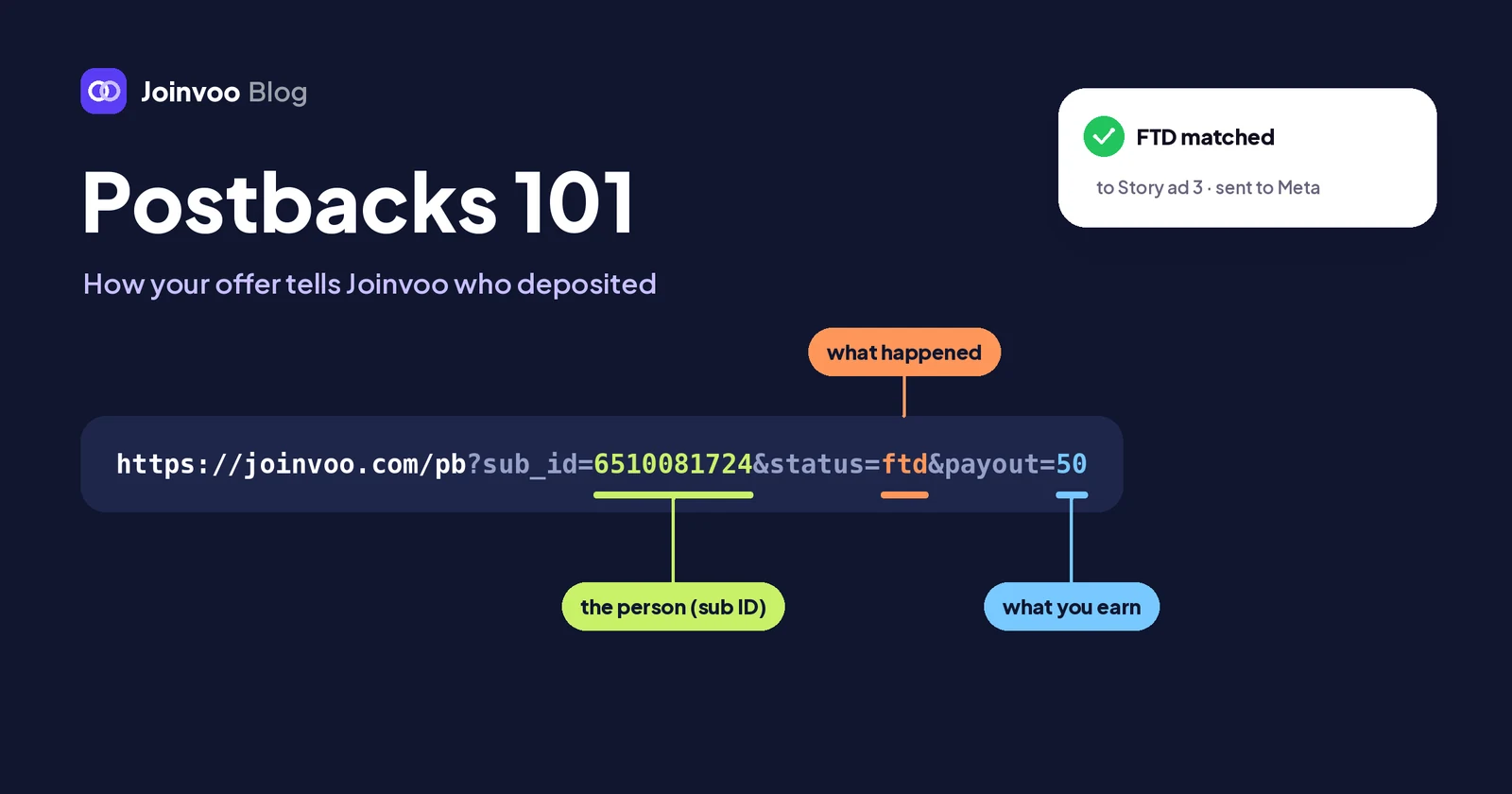
If your program can send any postback, even one with only the first deposit, set it up. Postbacks 101 for media buyers shows how. Then use these for the rest: the program that never will, deposits from before the postback was ready, or one that was missed.
Getting started
- Make sure your leads come through Joinvoo links, so every deposit has an ad to belong to.
- If your team chats in Team inbox, there’s nothing to set up: deposit screenshots are read from today.
- Ask your program for its deposit export and upload it from Deposits → Upload deposits.
- After a week, look at your cost per FTD by ad. That’s the number you’ve been missing.