You sell a $19 eBook. You run three ads. At the end of the week your payment page shows 14 sales. Which ad made them? Ads Manager has a guess. Your payment page has no idea. So the ad with the cheapest clicks often wins the budget, even if it sold nothing.
This guide fixes that, step by step. It takes about five minutes and needs no code.
The idea
Your payment page can’t talk to your ad platform. Joinvoo sits in the middle, at the start and at the end.
- At the start, the ad opens your Joinvoo link. Joinvoo saves which ad was tapped, then opens your product page.
- In the middle, the person reads your page and pays on Selar, Gumroad, Payhip or wherever you sell.
- At the end, your platform sends them to a thank-you page that Joinvoo made for you. That page says “this person paid this much”, and Joinvoo already knows which ad they came from.
That’s it. The thank-you page is the bridge.
Setting it up
1. Add your product page as a website. In Joinvoo, go to Channels → Add a website and paste the address of your product page (your Selar, Gumroad or Payhip link). Website tracking is on Pro and above.
2. Use the Joinvoo link in your ads. Every website gets its own ad link. Put that link in your ads instead of the product page link. This part matters: the thank-you page can only match buyers who came through your Joinvoo link.
3. Open Track purchases. In the website’s settings, find the Track purchases card and tap Set up in 3 easy steps. Under Where do people pay?, pick Selar / Gumroad / Payhip / other.
4. Type your price and copy your thank-you link. Type the price and the currency (USD, EUR and so on). Joinvoo puts them in the link, which looks like this:
https://…/thanks?value=19¤cy=USDTap Copy.
5. Paste it in your payment platform. In your product settings, look for a setting like “Redirect after payment”, “Thank-you page URL” or “Success URL”. Paste the link there and save.
Can’t find that setting? Ask your platform’s support: “Can buyers be sent to my own page after they pay?”
6. Test it. On the last screen, tap Send a test purchase. When you see It works!, you’re done. A test is never counted as a sale or in your revenue.
Cost per sale: the number that matters
Clicks are cheap to buy. Sales are what you’re paying for. Once sales come in, open Results → Campaigns. Each campaign, ad set and ad shows its sales and revenue next to its clicks. Add your spend and you also see ROAS.
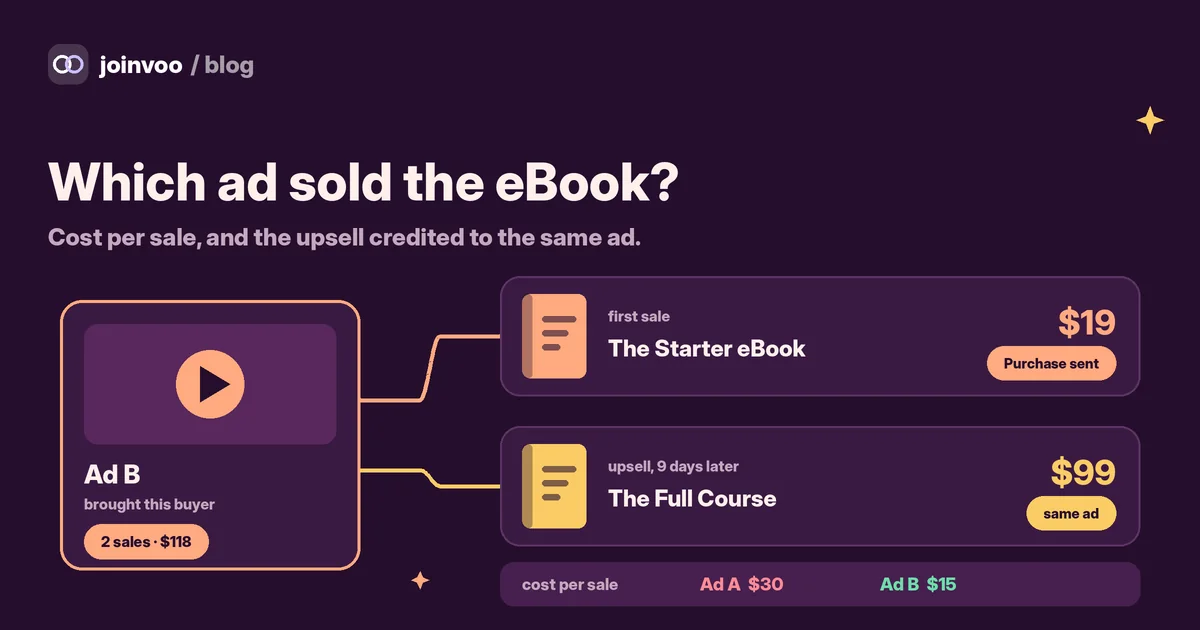
To get cost per sale, divide what the ad cost by the sales it made.
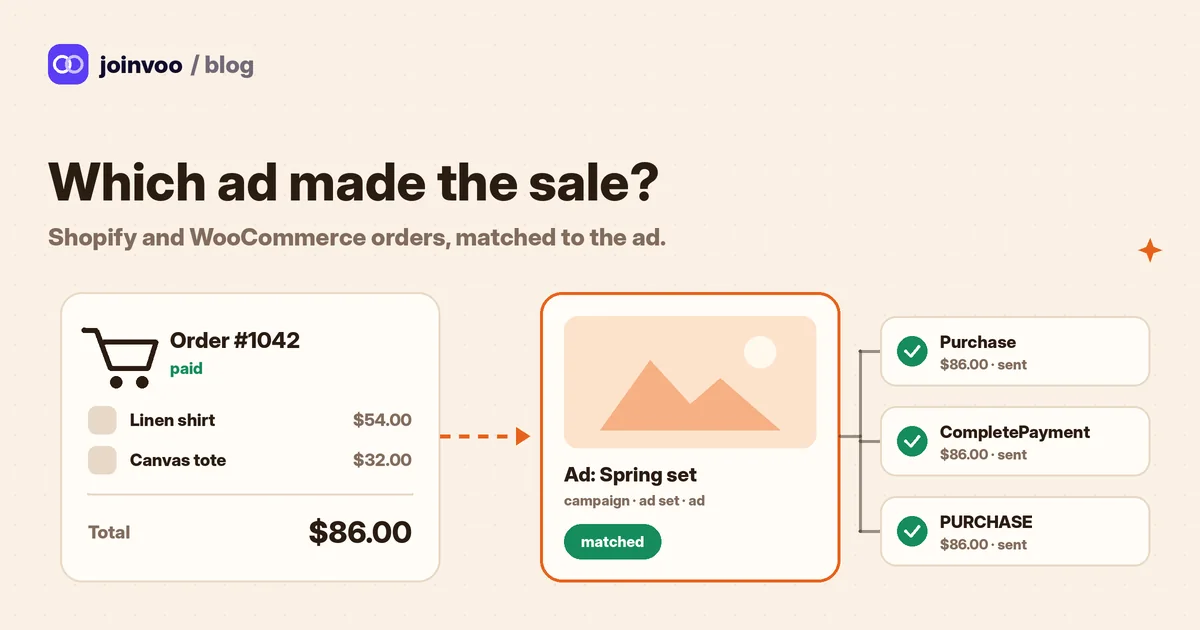
Every sale also goes to your ad platforms with its price:
| Platform | What it receives |
|---|---|
| Meta | Purchase, with value |
| TikTok | CompletePayment, with value |
| Snapchat | PURCHASE, with value |
That changes what the ad platform looks for. Instead of “people who click”, it learns “people who pay”. You can switch each platform on or off under Send purchases to. The sale still shows in Joinvoo either way.
Track this in Joinvoo, free.Every join, start and deposit matched to the ad that drove it. First 500 joins on us.Start freeThe second sale: upsells stay with the first ad
Most digital sellers don’t stop at one product. The eBook buyer later buys the course. The template buyer buys the bundle.
Here is what happens in Joinvoo when the same buyer pays again:
- The second sale is added to the same person, and so to the same ad that first brought them.
- It doesn’t count against your plan again. Only the first purchase from each visitor counts, once.
- Your ad’s revenue now shows both sales. An ad that sells a $19 eBook to people who later buy a $99 course is worth much more than its first sale shows.
For this to work, give the second product its own thank-you link with its own price (step 4 again), and paste it into that product.
Refunds
A payment page doesn’t tell Joinvoo when you refund someone. The thank-you page only sees the sale. So if you give many refunds, take them off when you read revenue per ad. An ad that sells a lot but gets refunded a lot is not a winner.
Which ad to keep
After a week or two of sales, a simple routine works well:
- Sort your ads by cost per sale, not cost per click.
- Look at revenue per ad, which includes second purchases. Some ads bring fewer buyers who spend more.
- Move budget to the ads where cost per sale is clearly below your price. Give new ads a fair number of clicks before you judge them.
If you want to understand why cost per sale beats cheaper numbers, read Cost per FTD vs cost per join: what you should actually optimise. It’s written for deposits, but the logic is the same for sales.
Questions people ask
Do I need my own website? No. The thank-you page is made by Joinvoo. You only need a payment page that can send buyers to a link after they pay.
What does the buyer see? A simple “Thank you for your order” page that tells them to check their email for their receipt and download.
What if someone finds my product page without an ad? Their sale isn’t sent to Joinvoo, so your ad numbers stay clean. Your payment page still shows it. Only people who came through your Joinvoo link are matched.
I sell on my own site, Shopify or WooCommerce. Pick that option under Where do people pay? instead. We cover it in Shopify and WooCommerce: see which Meta or TikTok ad made each sale.
Everything about websites, stores and digital products is on the website tracking page.