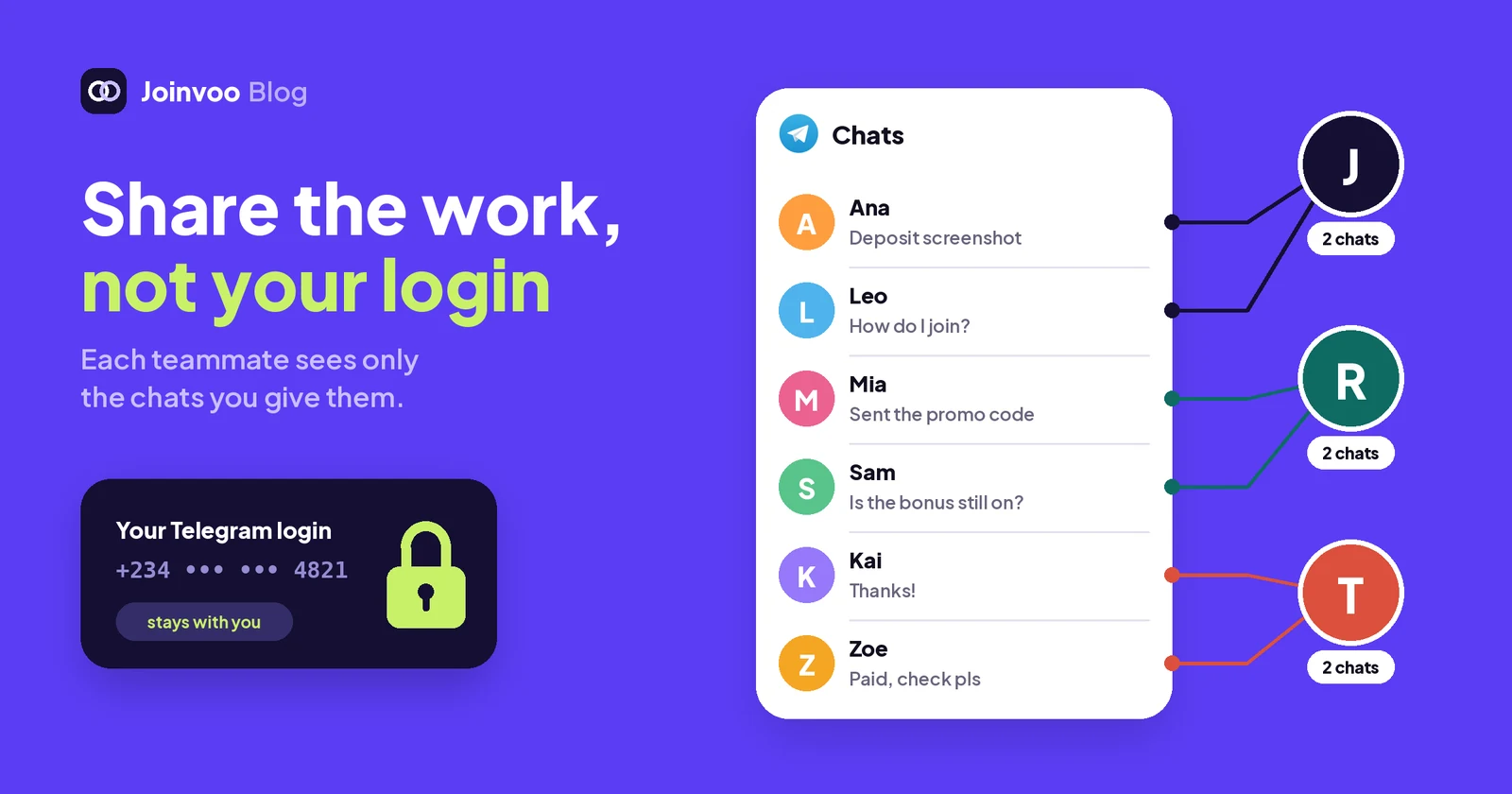
Here’s the sweet part about Joinvoo, and it’s the thing I wish I’d had years ago. Instead of sharing your Telegram login, invite your team to Joinvoo Team inbox and manage your Telegram chats there. You can even choose to stop some staff from seeing clients after they’ve deposited.
You know how this usually goes. One Telegram account talks to your leads. Three people need to answer from it. So the login code gets shared, everyone logs in on their own phone, and from that day on every one of them sees everything.
Why sharing a Telegram login hurts you
I’ve done it. It feels harmless until you count what you handed over:
- Every chat, including your best clients. The new hire on the night shift can scroll back to the people who deposited the most last month and message them from their own account.
- Every contact and every group. Your partners, your suppliers, your private channels.
- The settings. Anyone logged in can change the username or lock you out.
- No record and no clean exit. You can’t tell who sent a strange message at 3 a.m., and when someone leaves you can only hope they didn’t copy anything first.
That doesn’t mean your team is dishonest. It means one angry ex-employee or one stolen phone can cost you your clients.
How Team inbox works instead
Team inbox brings your managers’ Telegram chats into the Joinvoo dashboard, so your team answers them from one shared screen.
- Connect the account once. On the phone that holds the Telegram account, open Telegram → Settings → Telegram Business → Chatbots, add your Joinvoo bot and let it reply. Nobody types a password anywhere.
- Invite your team to Joinvoo. Each person gets their own Joinvoo login and a role: Manager, Media buyer, Setup helper or Chat agent.
- They answer from Team inbox. Replies go out from the connected Telegram account, so the lead sees the same chat as always. Your teammates never get the Telegram account itself.
If someone leaves, you remove them from the team. Their access ends right there. Nothing on the Telegram side changes.
Choose what each teammate sees
Until now, everyone with inbox access saw every chat. Fine for a partner, too much for a trial hire. Now you decide, person by person.
Lead stages
Every person in Team inbox has a stage that moves by itself: New → Talking → Sent link → Signed up → Deposited, plus Not interested. For each teammate you pick All stages or only some of them.
The setup I like for new staff: New, Talking and Sent link. When a lead signs up or deposits, the chat leaves their list and a senior manager takes over. Or go the other way: a retention person sees only Deposited.
Only chats assigned to them
Tick Only chats assigned to them and a teammate sees only the chats you or a manager give them. Add And chats nobody has taken yet if you want them to pick up fresh leads on their own, without seeing the chats their colleagues are working.
Deposit amounts
Turn off Show deposit amounts and totals and the teammate still sees the word Deposited on a person, but no amounts and no money totals anywhere in Team inbox. They know who’s a client. They don’t know how much that client is worth.
Channels
Media buyers and Chat agents can work on All channels (including ones you add later) or only the ones you pick. This works together with everything above. A Chat agent can be set to see, for example, only New and Talking chats, only on one bot, and only the ones assigned to them.
Track this in Joinvoo, free.Every join, start and deposit matched to the ad that drove it. First 500 joins on us.Start freeThe server enforces it, not the screen
This matters more than any button: Joinvoo’s server checks the limits on every request, not just the screen.
A chat outside a teammate’s stages is gone for them everywhere: the list, search, the stage counts, the badge on the menu, its messages and photos, notes and stats. If they try to open it by its address, they get “not found”. They can’t send into it either. Their inbox shows one quiet line: Some chats are hidden by the account owner.
Every change to what someone sees goes into the team audit log, with who changed it and when.
Set it up in two minutes
You can set it from three places, whichever you’re already on:
- When you invite someone: More → Team → Invite. The invite sheet has a section called What they can see in Team inbox. It applies as soon as they join.
- For someone already on your team: More → Team, tap the person’s menu, then What they see in Team inbox.
- For everyone at once: Team inbox → Settings → What each teammate sees. Tap a person to change it.
For each person, pick the stages, tick Only chats assigned to them if you want it, and switch amounts on or off. Save. It works straight away.
Turn on Managers can change this in the same list and your managers can set what non-managers see, never for themselves. Off means only you.
What it can’t do
Know the edges before you rely on it:
- It only covers Team inbox. If someone has the Telegram app logged in to the account itself, these settings can’t touch that. The point is that nobody needs that login any more. If you shared it before, end those sessions in Telegram → Settings → Devices.
- Stages are only as good as your tracking. Chats move to Signed up and Deposited when Joinvoo receives the sign-up or deposit from your postback. If deposits aren’t tracked, nobody reaches that stage, so nothing hides. You can also move a stage by hand.
- Amounts off is about Team inbox. A Manager can still see your reports elsewhere in the dashboard. For staff who should see no money at all, use the Chat agent role.
- Telegram’s 24-hour rule still applies. A connected bot can reply within 24 hours of the person’s last message. For older chats, Joinvoo opens the chat in Telegram with one tap, which needs the account itself.
- Telegram Business needs Premium on the account you connect, paid to Telegram, not to Joinvoo.
- You can’t hide everything. Each teammate keeps at least one stage. To stop someone’s access completely, remove them from the team.
The point
A shared Telegram login puts all your clients in front of everyone. Team inbox lets your team work with their own login, and lets you decide who sees which clients, at which stage, with or without the money.
If you already use Team inbox, open Team inbox → Settings → What each teammate sees today and set it for each person. If you don’t, read how the inbox matches every chat to its ad in How to track Telegram DMs from your ads (and why it matters), then turn it on from your dashboard. The first 7 days are free.