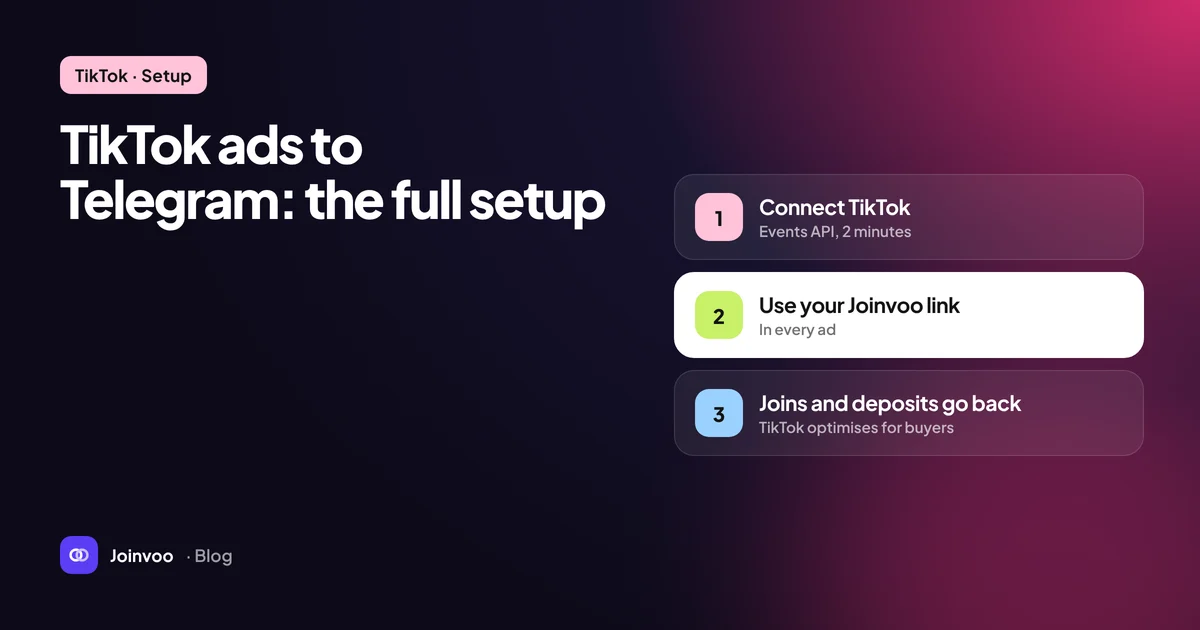
TikTok is a different animal from Meta. Attention is shorter, creative burns out faster, and the audience is used to content that doesn’t look like an ad. But the tracking problem is identical: the person taps your ad, leaves for Telegram, and TikTok never finds out whether they joined.
This guide covers the whole setup, from pixel to first test join, plus the TikTok-specific details that trip people up.
How the pieces fit
The flow looks like this:
- Someone taps your TikTok ad.
- TikTok sends them to your tracking link, adding a click ID (
ttclid) to the URL. - The tracking link stores the click and forwards them to Telegram with a unique invite link made just for that click.
- They join. Your bot sees the join and which invite link was used, so it knows which click, and which ad, it came from.
- The join is sent to TikTok through the Events API as a
Subscribe(orCompleteRegistration) event, with the click ID and other matching data. - TikTok attributes the conversion to the ad and learns from it.
If you’ve read our Meta guide, How to track Telegram channel joins from Meta ads, this will feel familiar. Only steps 2 and 5 change.
Step 1: Create a pixel and an Events API token
In TikTok Ads Manager, open Tools → Events → Web events and create a pixel if you don’t have one. You don’t need to install it on any website for this setup. The pixel is the container that receives your server events.
Open the pixel and copy the Pixel code, a short string of letters and numbers. Then, in the pixel’s settings, generate an access token for the Events API. Copy it somewhere safe. Anyone with this token can send events to your pixel.
Step 2: Connect TikTok in your tracker
In Joinvoo, open your channel’s ad platform settings, choose the TikTok tab, paste the Pixel code and the access token, and send a test event. A green tick means TikTok accepted it.
Choose the join event. Subscribe is a good default for channel joins. CompleteRegistration fits better if the join is genuinely a sign-up, for example a bot that registers people on /start.
Step 3: Build the campaign
- Objective: Website conversions (sometimes shown as Sales or Conversions depending on your account’s interface version).
- Optimisation event: your pixel, and the event you picked above.
- Destination URL: your tracking link. Never the channel’s normal invite link.
Add URL parameters so every join carries the campaign, ad group and ad names. TikTok supports dynamic macros in the URL. A common pattern:
utm_source=tiktok&utm_campaign=__CAMPAIGN_NAME__&utm_term=__AID_NAME__&utm_content=__CID_NAME__Check TikTok’s current list of URL macros in Ads Manager before you rely on them. If you’d rather use IDs (they don’t break when someone renames an ad), use the ID versions of the same macros. Our post on UTM naming conventions that survive scale explains how to keep names readable at scale.
Step 4: Decide on direct link or join page
When someone taps your ad, you can either send them straight into Telegram or show a simple page with a Join button first.
| Straight to Telegram | Join page first | |
|---|---|---|
| Speed | Fastest, fewest drop-offs | One extra tap |
| Ad review | Stricter reviewers may question a redirect to an app | A real page with clear content is easier to review |
| Intent | Includes accidental taps | The extra tap filters some accidental taps |
There’s no universal winner. Many buyers start with a join page on TikTok specifically, because the review process tends to look closely at where the ad sends people. In Joinvoo this is one setting per channel (When someone taps your ad), so you can test both.
Step 5: Test with your phone
Before spending a cent:
- Send yourself the tracking link and open it on your phone.
- Use a Telegram account that isn’t in the channel yet (or leave first).
- Join, then check that the join appears in your dashboard, marked as from an ad.
- Check the TikTok tick on that join. If it failed, open the join to see TikTok’s reason. An expired or mistyped token is the usual culprit.
The full checklist, with screenshots, is in the setup guide.
TikTok-specific things to know
The learning phase is impatient
TikTok’s delivery system, like Meta’s, needs a steady stream of conversions to learn. Optimising for a deep event like a deposit on day one usually starves it. Start with joins, which happen often, and move deeper once you have enough volume. We explain how to judge that point in Cost per FTD vs cost per join: what you should actually optimise.
Creative fatigue is fast
TikTok creative wears out quickly. Plan to rotate. Because each join carries the ad name, you can see which video brings people who stay, not just people who tap. That’s the metric to rotate by.
Native beats polished
Videos that look like regular TikToks tend to do better than glossy ads. For a Telegram channel, the most reliable angle is showing the value of what’s inside: a peek at a post, a tip, a result the viewer cares about, and a clear reason to join now.
Watch the quality of joins, not just the count
TikTok can deliver a lot of cheap joins fast. Some of them will be accidental or low intent. Keep an eye on suspicious joins per ad, and make sure filtered joins are never sent back as conversions. If they are, TikTok will happily find you more. Why your cost per subscriber lies to you explains why this matters so much.
Adding deposits and sales later
Once joins are flowing, you can send deeper events too. If your channel or bot sends people to an offer, a postback from the offer’s platform can report sign-ups and first purchases. Those go to TikTok as CompleteRegistration and CompletePayment with a value, and you can optimise for them once volume allows. Start with Postbacks 101 for media buyers.
Recap
Pixel and token from TikTok. Tracking link as the destination. Joins sent back through the Events API with the ttclid. Test with your phone. Then let TikTok learn from real subscribers instead of taps.
You can connect TikTok, Meta and Snapchat in the same Joinvoo account and every join goes to all of them. Start free with 500 joins included.